HOME | DD

pinkperfect β€” Painting Faces Tutorial

Published: 2005-10-25 07:22:45 +0000 UTC; Views: 72244; Favourites: 506; Downloads: 12069
Redirect to original
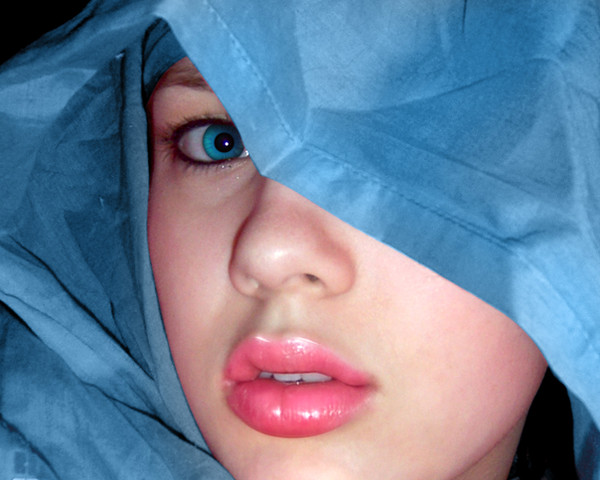
Description I can't believe i made a tutorial, ive only been colouring for two weeks. Nonetheless, Ive had a few requests for a how-to with this painting so i thought i would whip one together real quick using my saves along the way. Its not the most in-depth tutorial, but it gives you an idea of my process. Im a newbie to this and pretty much taught myself so i dont know if my methods are a hard way of doing things. I find that you may discover new methods and techniques if you teach yourself. Tutorial and painting in Photoshop 7.
Related content
Comments: 53

A-iker [2014-05-02 06:25:46 +0000 UTC]

thx

πŸ‘: 0 ⏩: 0

Innfhinithydesigns [2013-03-03 23:12:59 +0000 UTC]

thanks for the tutorial !!

πŸ‘: 0 ⏩: 0

JessaDragonfly [2012-11-16 10:47:00 +0000 UTC]

Well i wouldnt call it a tutorial its just a picture

πŸ‘: 0 ⏩: 1

StarshipSorceress In reply to JessaDragonfly [2012-12-29 12:41:22 +0000 UTC]

you have to press download

πŸ‘: 0 ⏩: 0

Niyoka [2012-08-15 08:21:41 +0000 UTC]

Hallo, is it possible to direct me to the tutorial link of your Painting Faces Tutorial. I would appreciate it greatly. My email adress is as follow: lindahuman@telkomsa.net

πŸ‘: 0 ⏩: 0

DioraGraphix [2011-08-01 21:51:11 +0000 UTC]

ummm...where is the tutorial? I don't see anything.

πŸ‘: 0 ⏩: 0

ALIRZ [2011-05-18 04:42:01 +0000 UTC]

just like a pro nice job

πŸ‘: 0 ⏩: 0

isawiweko [2011-05-16 17:04:06 +0000 UTC]

THIS IS TRUELLY AN AMAZING PIC!!!! [link]

πŸ‘: 0 ⏩: 0

baburrb123 [2011-04-16 07:23:41 +0000 UTC]

i cannot able to see this video

πŸ‘: 0 ⏩: 1

PrincessInHeaven In reply to baburrb123 [2012-05-17 20:57:32 +0000 UTC]

I can`t see it did you find it?

πŸ‘: 0 ⏩: 0

M3lzi [2011-04-14 04:59:36 +0000 UTC]

This is amazing thank you so much i will deff be trying this out tonight when i get home from work...
Look forward to seeing more..

πŸ‘: 0 ⏩: 0

MissHoneeDesigns [2011-03-28 02:47:41 +0000 UTC]

Great tutorial, thanx for sharing!

πŸ‘: 0 ⏩: 0

PSD-EMPIRE [2011-03-01 09:34:36 +0000 UTC]

Thanks very much for sharing

πŸ‘: 0 ⏩: 0

rahuldev [2011-02-19 11:17:29 +0000 UTC]

Very Nice

πŸ‘: 0 ⏩: 0

monstrico [2010-08-19 17:29:11 +0000 UTC]

wow amazing!

πŸ‘: 0 ⏩: 0

3slam [2010-07-21 19:56:41 +0000 UTC]

very good thanks

πŸ‘: 0 ⏩: 0

Nice-Ann [2010-06-21 18:48:53 +0000 UTC]

ΠšΡ€Π°ΡΠΈΠ²ΠΎ! Π― ΠΏΠ΅Ρ€Π΅Π²Π΅Π»Π° Π½Π° свой сайт, ссылка ΠΎΠ±ΡΠ·Π°Ρ‚Π΅Π»ΡŒΠ½Π°!

πŸ‘: 0 ⏩: 0

pronker [2010-02-18 17:32:02 +0000 UTC]

Excellent tut -- the keeping it to just half the face simplified it for me and didn't overwhelm with 'oh no, there's so much to do!'

πŸ‘: 0 ⏩: 0

TurokFreak [2009-12-24 10:37:39 +0000 UTC]

very nice, congratulations

πŸ‘: 0 ⏩: 0

Loveonve [2009-12-14 04:49:12 +0000 UTC]

great creativity

πŸ‘: 0 ⏩: 0

laxon [2009-07-22 21:09:48 +0000 UTC]

Nice

You can double the effectiveness of this method if you apply slight skin texture [using brushes]

As you can see she has a lot of pores visible on the light side of the face, using a brush you could quickly add that effect to your own image.

hope to see more

πŸ‘: 0 ⏩: 0

kre8tiv [2009-02-26 20:57:15 +0000 UTC]

Excellent tutorial. I like your approach of vectors as a base layer on which you then paint on. Thanks for sharing.

πŸ‘: 0 ⏩: 0

Thaeavoira [2009-02-08 06:38:22 +0000 UTC]

Would this be possible in any other programs...?

πŸ‘: 0 ⏩: 0

boobw [2008-10-29 01:06:06 +0000 UTC]

question how did u outline with the polygonal lasso when it only makes straight lines, and how did u use it 2 outline period?

πŸ‘: 0 ⏩: 1

pinkperfect In reply to boobw [2008-10-29 09:34:01 +0000 UTC]

I used straight lines. The curvier the edge, the more lines i used. Lotsa clickin! I mostly use the pen tool now, just for that reason - to get actual curves. But using the polygonal lasso is faster.

πŸ‘: 0 ⏩: 1

boobw In reply to pinkperfect [2008-10-29 18:50:03 +0000 UTC]

o i c thx takes alot work ur pretty good

πŸ‘: 0 ⏩: 0

sharkurban [2008-08-04 10:08:31 +0000 UTC]

Ohh goood !!!
Thanks for tutorial...

πŸ‘: 0 ⏩: 0

lochnessa2 [2008-07-27 05:03:19 +0000 UTC]

Very kewl tutorial! I've just started digital painting myself and this is a big help!!

πŸ‘: 0 ⏩: 0

3ddream [2007-10-19 09:25:27 +0000 UTC]

perfect

πŸ‘: 0 ⏩: 0

Bellatrix-666 [2007-09-29 19:39:48 +0000 UTC]

amazingly done

πŸ‘: 0 ⏩: 0

Another20 [2007-09-05 05:58:09 +0000 UTC]

I hoppe if can do same in one day..

πŸ‘: 0 ⏩: 0

phoenixempress [2007-07-21 15:59:00 +0000 UTC]

Huh. Very interesting technique. ^_^ Very edgy...I love it. Now do you use the polygonal lasso over the reference photo to get the shape of the face right, or...?

πŸ‘: 0 ⏩: 0

x-missworld-x [2007-05-29 04:15:44 +0000 UTC]

thank you so much for the tutorial ^_^

πŸ‘: 0 ⏩: 0

BloodyZone [2007-04-02 22:54:48 +0000 UTC]

Great tutorial.
I was looking for it.

πŸ‘: 0 ⏩: 0

Alice-C [2007-03-29 03:37:17 +0000 UTC]

I used this it was so GOOD! [link]

πŸ‘: 0 ⏩: 0

Griffith-sama [2007-03-12 00:20:15 +0000 UTC]

Wow this is truely amazing.

πŸ‘: 0 ⏩: 0

xOutraceThePainx [2007-01-03 23:08:46 +0000 UTC]

Wowsies, your version could compete with the actual version. Yours is wicked--if not better! ^__^ *hug*

πŸ‘: 0 ⏩: 0

crysisrules [2006-10-29 01:21:51 +0000 UTC]

good tutorial keep it up.

πŸ‘: 0 ⏩: 0

Philipa92 [2006-08-21 18:38:36 +0000 UTC]

Wonderfull & I adore Angy Jolie too

πŸ‘: 0 ⏩: 0

MelGama [2006-08-15 17:44:24 +0000 UTC]

owww I would like that could be sooooo easy...
Thank you! IΒ΄ll study now!

πŸ‘: 0 ⏩: 0

RileyRican [2006-07-08 23:19:08 +0000 UTC]

What a wonderful tutorial!!!

πŸ‘: 0 ⏩: 1

pinkperfect In reply to RileyRican [2006-07-12 08:30:12 +0000 UTC]

Its all pretty crude but thank you!

πŸ‘: 0 ⏩: 0

patronus-light [2006-07-04 02:41:19 +0000 UTC]

this is fantastic!

πŸ‘: 0 ⏩: 0

GoldenEye3D [2006-03-17 04:40:47 +0000 UTC]

AMAZING !
u did great, nice job

best wishes

πŸ‘: 0 ⏩: 0

VoreFriend [2006-01-20 02:41:37 +0000 UTC]

Thank you!

πŸ‘: 0 ⏩: 0

SpookyMouse [2005-11-11 21:44:53 +0000 UTC]

Fantastic... thanks again... just out of curiosity how many layers do you end up with before flattening the image?

πŸ‘: 0 ⏩: 1

pinkperfect In reply to SpookyMouse [2005-11-11 22:34:09 +0000 UTC]

Thanks I hope it helps. As far as the layers, It all depends on the detail. Although Ive started using saved selections when working on different parts instead of seperate layers.

πŸ‘: 0 ⏩: 1

SpookyMouse In reply to pinkperfect [2005-11-13 11:54:57 +0000 UTC]

Thanks... The layer system is quite cool i think...

πŸ‘: 0 ⏩: 0

Coldone [2005-10-28 08:57:02 +0000 UTC]

Great stuff, I think your method is pretty good. Thanks for taking the time to do this.

πŸ‘: 0 ⏩: 0

WerewolfgirlX [2005-10-26 17:18:50 +0000 UTC]

WHOA nice !

πŸ‘: 0 ⏩: 0


| Next =>