HOME | DD
 Raindropmemory — Gaia10 Icon set
by-nc-nd
Raindropmemory — Gaia10 Icon set
by-nc-nd
Published: 2010-09-14 02:44:03 +0000 UTC; Views: 307389; Favourites: 1839; Downloads: 70766
Redirect to original
Description
Hello!
What is it?
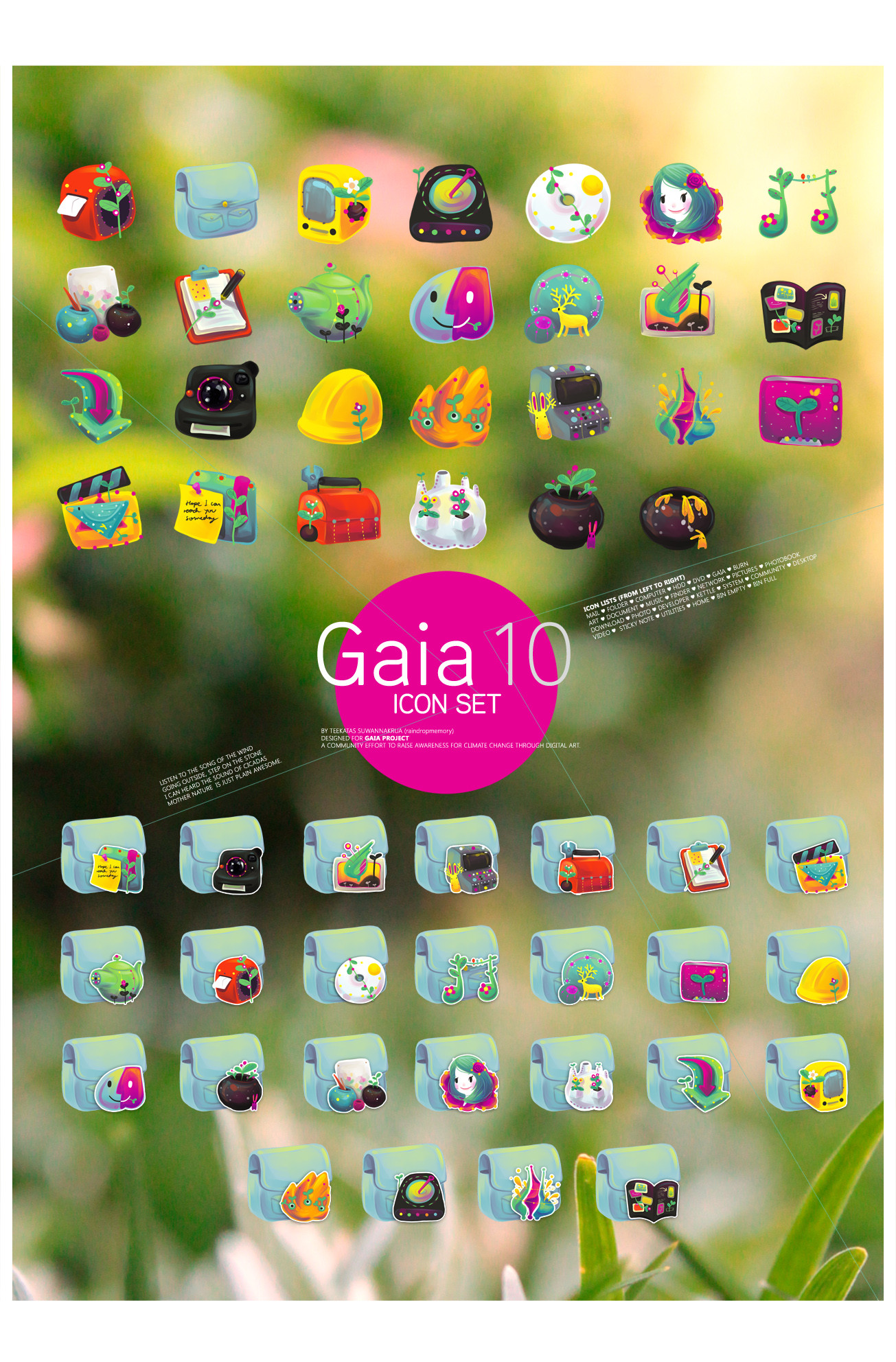
Icon set I design as part of GAIA10 suite, the community computer customization project which involve hundred of artists around the world! Create art that inspired and remind you of mother nature.
 PNG icon included!
Be sure to visit Gaia10 website to meet more badass art from badass artists! here --> [link]
By what tools you accomplish this?
1.I sketch the whole icon set on the paper, then scan into computer.
2. Then I paint with Paintool SAI, and save it as transparent PNG image.
3.I then convert them to icon file using [link]
 Beginner's Guide : How to change icons- How to change icon in Windows XP:[link]
 - How to use Large(48px) icon size on Windows XP: [link]
- How to change icon in Windows Vista & Windows 7: [link]
 Mac user? You can easily convert the PNG icon into mac icon using this app [link]
 MOAR icon set here:
Related content














Comments: 176

👍: 0 ⏩: 0

you're unbelievably talented, I'm using your icons for my pc, and it feels like home :')
👍: 0 ⏩: 0

this totorial doesent exist anymore and i have windows 10 and i donno how to change it. Please help
👍: 0 ⏩: 0


ı love love love this icon set.while I've been using this for a very long time, now I found your page and found out that it was you who made them!!!! fantastic works!
👍: 0 ⏩: 1

my computer is a mac sooo can u please relist the steps
👍: 0 ⏩: 1

Oh, em.
Then - First, you need to download this app called Candybar→ www.panic.com/blog/candybar-mo… (Still the best icon tool for OSX - even if it's not support newer OSX anymore)
Then install it, and open the app.
If I remember right, Candybar can convert Windows icon to OSX icon easily. Try drag the unzipped icon folder to the sidebar of the app (or somewhere else if it doesn't work) The icon should magically appears.
It is very user friendly software, so I think you'll figure it out by yourself how to do other things like change the app's icon.
There are, actually, another way to change icon os OSX, but it is the manual way and not that fun - again, consult Google for it!
👍: 0 ⏩: 0
can u please list the steps because i cant do it please i will send a text to all my friends giving u credit
👍: 0 ⏩: 1
Chill Ms., I already reply how-to to your previous message.
Please check it first.
👍: 0 ⏩: 1
i can only put use the icons on the folders but not the actual apps please help !!!!
👍: 0 ⏩: 1
Try 'Create new shortcut' of the icon of app you want (right click on the icon and create shortcut), and try again. 
👍: 0 ⏩: 1
but how do u change the icons when u dowload them to apps please help! my friend is making fun of me that i cant figure it out and she wont tell me can u please list me the steps on how to do it
👍: 0 ⏩: 0

how come i can't download this? ; o ; -craves for this icon set-
👍: 0 ⏩: 1
Of course you can!
Please download it again.
👍: 0 ⏩: 1
hehehe i ended up downloading the little red shoes set. thanks!
👍: 0 ⏩: 0





Great job
I love the colors, it fits the gaia10 style perfectly.
👍: 0 ⏩: 0


OMG, I love this! It´s very very cute and adorable!
👍: 0 ⏩: 0

so for macs, do we have to crop the picture before we move it into the Img2icns thingy
👍: 0 ⏩: 0



WOOOOO
You created it! D:
I love this set
I just use it always!
Congrats for the stunning work
👍: 0 ⏩: 0

| Next =>