HOME | DD
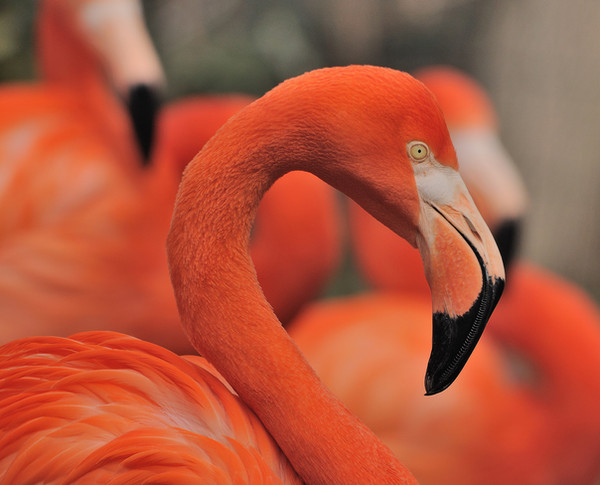
 rhaley — Flamingo

Published: 2009-03-15 22:20:48 +0000 UTC; Views: 1097; Favourites: 24; Downloads: 0
Redirect to original
Description
San Diego ZooRelated content




Comments: 11


animals, to me, always seem quite hard to photograph... especially in zoos. firstly, because you very rarely have options for a background that aren't distracting. secondly, animals are usually constantly moving, which limits you camera speed, and can result with a lot of noise.
i want to say that you made a good choice with the f-stop (if you use the manual setting on your camera 
this has pretty good composition, and the flamingo's head is very well focused... but the flamingo(s) in the background are kind or distracting from the one up in front. there isn't really much you can do now that is guaranteed to fix this... but one suggestion would be to de-saturate the flamingo on the right, and that other red bit on the far right. you could also try cloning them out, but with such a big area to cover on the right, it may look a bit messed up if you don't know how to use the clone tool very well. but i'm sure you could clone out the bit on the left fairly easily.
also, if you really want to go all out, you could select all the background, and try reducing the contrast.
just curious, but what program did you use to edit this, and what all did you do?
👍: 0 ⏩: 1

that is a great idea, i never even thought to get those out of there, but that really would really emphasize the subject of the photo.
I use adobe photoshop, it was a long time ago so I don't remember everything I did. But I'm sure I used Curves Adjustment, and to sharpen it I used Unsharpened Mask
and thank you so much for the critiques! i really appreciate it

👍: 0 ⏩: 0


