HOME | DD
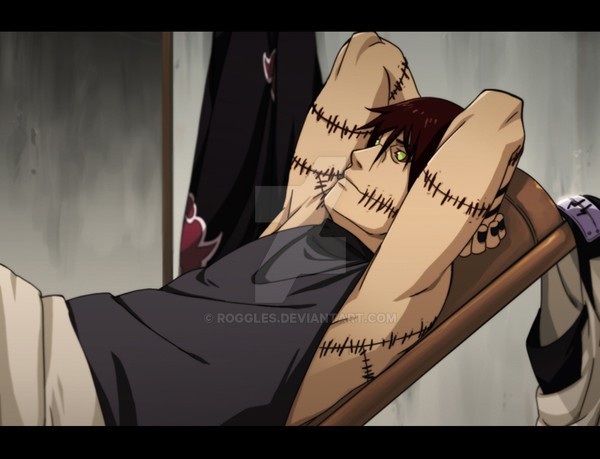
 Roggles — Inuzuka Kentaro

Published: 2009-08-21 12:47:59 +0000 UTC; Views: 48252; Favourites: 1678; Downloads: 6179
Redirect to original
Description
commissioned bycommission info: [link]
Related content




Comments: 132

love the pic you dont see many of him with out his ninja outfit on
👍: 0 ⏩: 0


the son from ---->[link]
---
The world needs a hero
and the hero is
ME !! and my kitty

👍: 0 ⏩: 0
make him in uchiha style xD
---
The world needs a hero
and the hero is
ME !! and my kitty
👍: 0 ⏩: 0


Strangely it looks like a mix between Sora from KH and Kiba...
Don't mind i'm a weirdo XD
But it's beautiful
👍: 0 ⏩: 0


you're really good! this is an excellent example of an inuzuka!
👍: 0 ⏩: 0

Hells to the Yeahs!!! He's uber hot!! It's like Kiba but sooo much better!!!!
👍: 0 ⏩: 0


Wonderful pose, and the picture looks awesome even with just the flat coloring. Excellent work.
👍: 0 ⏩: 0


*drools all over keyboard* aw man, not again! XD nice job!
👍: 0 ⏩: 0


Oh hé what a good looking character ! His necklace is very orginal and his expression is so sweet. Nice job there
👍: 0 ⏩: 0


How do you get the canvas the same color as the backround of deviantart? I've tried screenshot and use the dropper to get the color but when I upload it it's always darker or lighter...
👍: 0 ⏩: 1
...I'm not getting what you mean xD
So in the actual PICTURE, erase the... backround? And save the picture as a PNG?
👍: 0 ⏩: 1

yep, you have to get rid of the back ground ^^'
👍: 0 ⏩: 1
Ooooh, okay okay, so... how would you erase the backround? Just take an eraser to the "Backround" layer and erase?
((sorry I'm a noob))
👍: 0 ⏩: 1
Thanks, I'll try that. So sorry to ask so many questions! Hahah.
👍: 0 ⏩: 0
| Next =>