HOME | DD
 Testingte — Walk improved.

Published: 2014-08-16 01:28:25 +0000 UTC; Views: 646; Favourites: 8; Downloads: 0
Redirect to original
Description
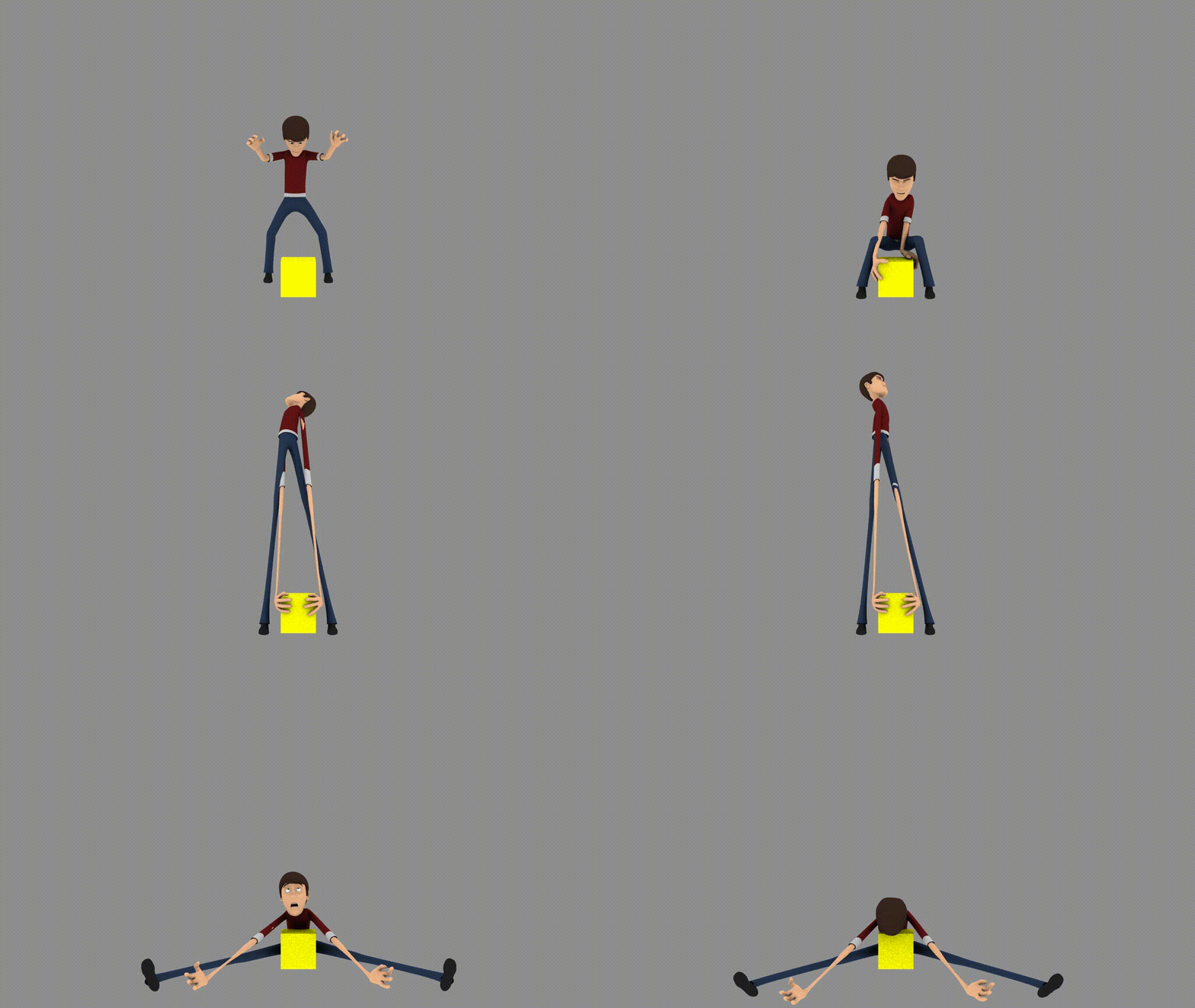
Still not the best, but it has improved from what it was.
He walks like he has a limp.......Welp! Good thing he's old! XDD Ahaaaaa.....
In full seriousness, though: I need to focus on learning what I'm doing and doing more things than I'm currently doing.
--model from: blendswap.com/blends/view/14445
Any and all feedback is welcome.
View in full quality for better review here: vimeo.com/103565525
--reference here: www.youtube.com/watch?v=GBkJY8…
Made with Blender 2.71 on FreeBSD
Related content





Comments: 7

It is a fine beginning. I think you might have translated the hips forwards and backwards? when you do a walk like this, that should be avoided. What you need is a bit of side to side movement of the hips (subtle with this), make sure your left/right rotation of the head is even for both steps... Oh, and you might want to make the steps shorter, and lift the upper body up. The knees are a little too bent in too many frames. You might also want less movement on the arms.
But I really do think this is a nice take - walks are difficult!
👍: 0 ⏩: 1

Thx for this! A lot of really good points!
I did actually move the hips forward and back a bit >.< Note taken, and thank you!
I think I can see what you mean about side to side movements of the hips. I was kinda avoiding it as my subject is male. I should remember to instead make it more subtle, rather than cut it out completely. Thank you again.
I actually didn't even animate the head ^.^" My focus was solely on the movement of the body. That is a good point though.
Steps are extra-long partially due to my trying to avoid the bent knees ^.^" XD I got but one frame where the left knee was straight, but had to cut it out in order to properly loop this thing. Still a good point. Live and learn.
Thank you once again for this great feedback!
👍: 0 ⏩: 1
I wasn't sure what stage you were at. I think you should check out some tutorials on walks. In general, hips should translate side to side and up and down, and also rotate with the movement of the legs + with the weight put on the hips. both of the rotations should be countered in the upper body, so the head doesn't rotate too much. Or set the head to not follow the rotation of the body at all. It is true, that you need more hip movement if you are animating a female character. Or a heavy character.
I know this one is far from perfect, but I think it might show some of what I mean: vimeo.com/38571745
Also, this one: vimeo.com/38162588
One advice. make one step and mirror every pose for the next step. your curves in the graph editor should be nice sinus curves, and they should be the same for each step. make your first and last cycle pose exactly the same, and when you playblast it, hide the last pose. Then you will have a nice loop.
Feel free to ask any time.

👍: 0 ⏩: 1
Thank you kindly for all your help and really good points!
Though I'll try not to make it too often, I shall certainly come to you for advice in the future
Thank you, very much, again!


👍: 0 ⏩: 1
No problem. It is nice to see people work hard! And even better to find someone who appreciates feedback!
I am sure you will improve a lot!
👍: 0 ⏩: 0

Now that I see him from the side view he looks much better indeed
Edit: Corrected some spelling...XD
👍: 0 ⏩: 1
*cough* this is after I already fixed him up a bit *cough*
xD
Thx though!
👍: 0 ⏩: 0