HOME | DD
 tPenguinLTG — Blue
by-sa
tPenguinLTG — Blue
by-sa
#blue #monochrome #theme #windows #windowsclassic
Published: 2015-04-06 17:52:00 +0000 UTC; Views: 3549; Favourites: 10; Downloads: 269
Redirect to original
Description
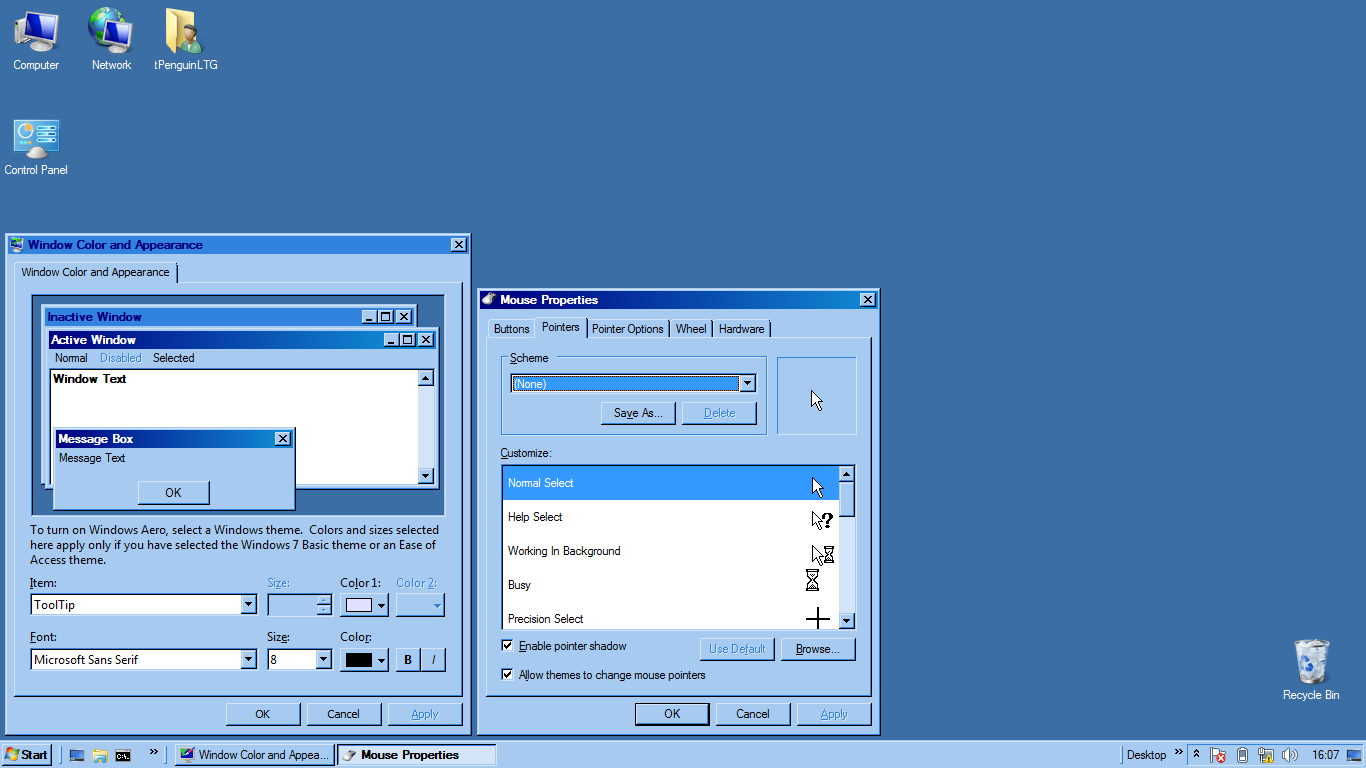
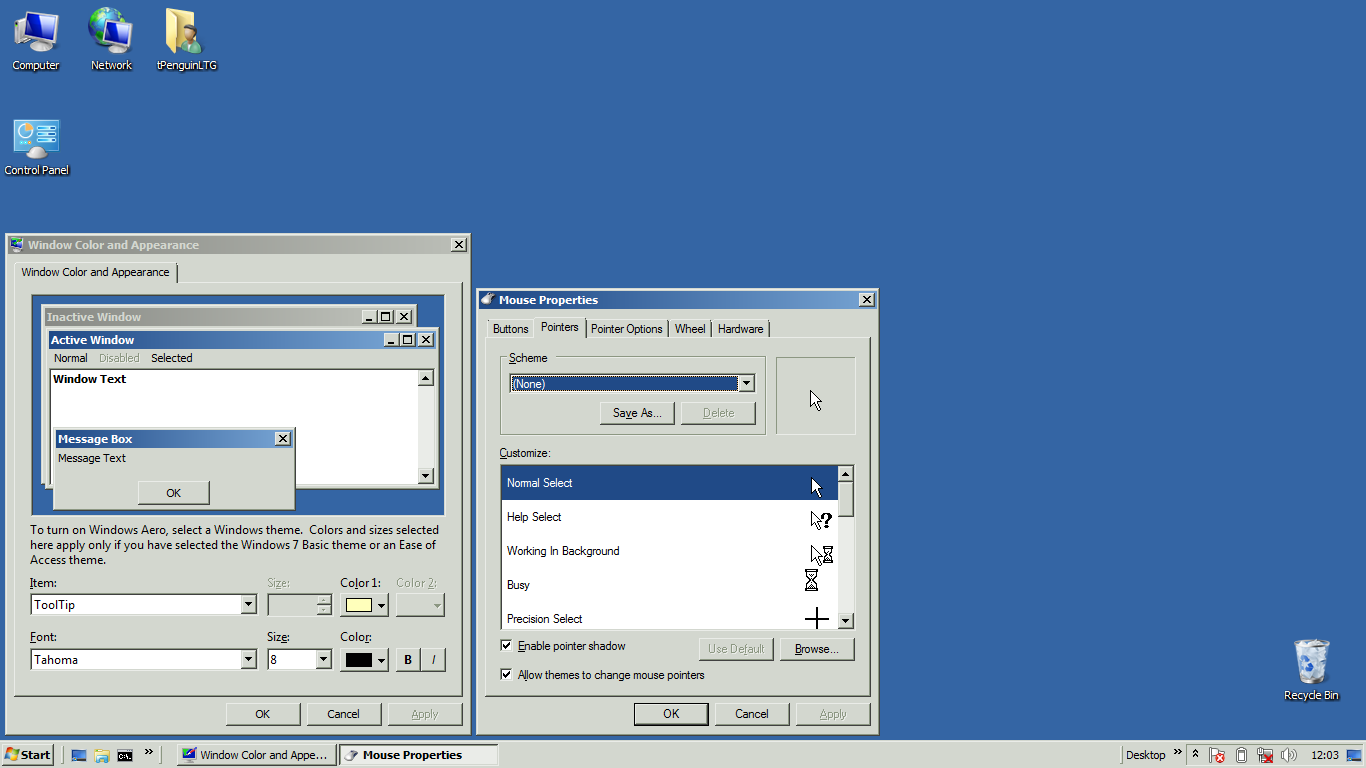
Blue, blue, and more blue! This is sure to keep you awake at night .Installation
Double-click on the .themepack file to apply the theme.
Colours used
ActiveBorder=166 202 240
ActiveTitle=0 0 128
AppWorkspace=49 131 221
Background=58 110 165
ButtonAlternateFace=192 192 192
ButtonDkShadow=0 0 0
ButtonFace=166 202 240
ButtonHilight=211 228 248
ButtonLight=166 202 240
ButtonShadow=49 131 221
ButtonText=0 0 0
GradientActiveTitle=16 132 208
GradientInactiveTitle=49 131 221
GrayText=49 131 221
Hilight=51 153 255
HilightText=255 255 255
HotTrackingColor=0 0 128
InactiveBorder=166 202 240
InactiveTitle=49 131 221
InactiveTitleText=0 0 128
InfoText=0 0 0
InfoWindow=225 225 255
Menu=166 202 240
MenuBar=166 202 240
MenuHilight=0 0 128
MenuText=0 0 0
Scrollbar=211 228 248
TitleText=255 255 255
Window=255 255 255
WindowFrame=0 0 0
WindowText=0 0 0
Related content








Comments: 3

👍: 0 ⏩: 0

Hi ! Don't know why , but when l select this theme it looks like a windows 7 basic and not classic . The teal for Shelbi version works great .
👍: 0 ⏩: 1

That's odd... I downloaded a copy of the theme from here and applied it to a Windows 7 virtual machine and it works just fine, so it's not the theme itself. Try deleting the theme from the themes dialog, then download the theme and apply it again.
Hopefully you aren't running into the issue where the theme indexes are wrong and clicking a theme will apply a different theme. That happened to one of my accounts once and I haven't figured out how to fix it yet (and probably won't for quite a while because I don't use Windows regularly anymore).
👍: 0 ⏩: 0