HOME | DD
 BadEevee — Outline Tutorial

#outline #tutorial #pinkismanly #clipstudiopaint
Published: 2015-04-28 02:12:27 +0000 UTC; Views: 1859; Favourites: 29; Downloads: 13
Redirect to original
Description
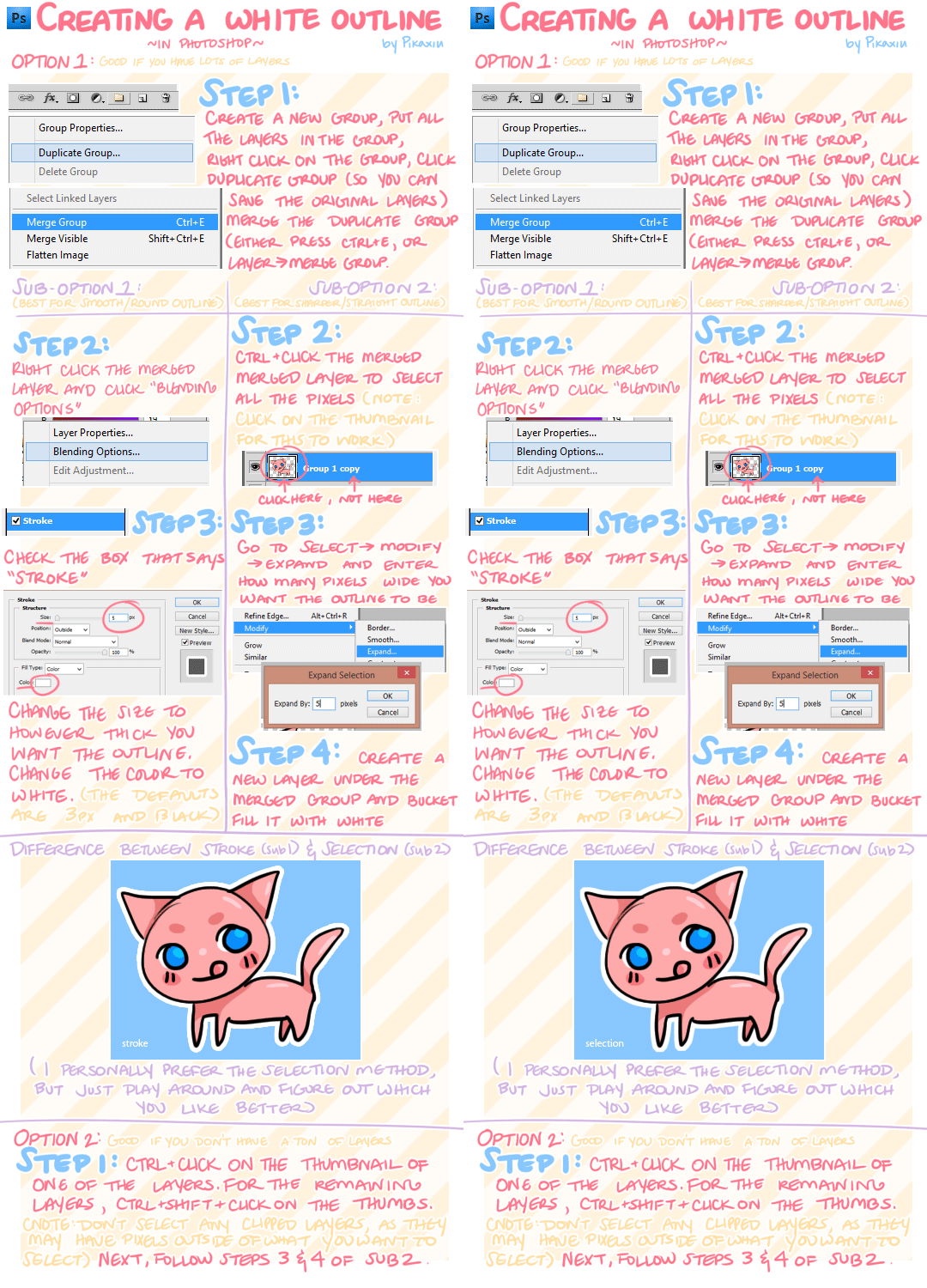
I use Clip Studio Paint so this tutorial is more geared for that program.I also forgot to mention that I use the Move Layer tool to move my layers.
I don't why but I some how horrifically misspelled "technically" the second and third time around. Don't ask.
And that guy in pink is my friend
Related content




Comments: 9

or to make it even easier and less time consuming you could simply use the "border effect" in Clip Studio Paint 
👍: 0 ⏩: 1

Thank you! I had the "Layer Property" minimized, so I didn't even see that option. This will save a lot of time! Thanks again!
👍: 0 ⏩: 1
np, it is a really useful feature, you should try out the watercolour border too 
👍: 0 ⏩: 0

of course it would be pink
god damn it,god fucking damn it
i am so butthurt
but that was helpful i guess
👍: 0 ⏩: 1
Hehehe, of course. Never should have told me.
Do you use Clip Studio Paint?
👍: 0 ⏩: 1
Which program do you use again?
👍: 0 ⏩: 1
Okay. Well, everything is about the same (I think) up until I use the "Move Layer" Tool. You'll have to figure out a way to move the layers evenly in Sai. Or you could buy Clip Paint Studio because it has an option that automatically makes an outline for you. ( I just learned that. I need to read the manual more).
👍: 0 ⏩: 0