HOME | DD
 Bgd69 — Shelf+

Published: 2011-06-09 22:25:30 +0000 UTC; Views: 13358; Favourites: 64; Downloads: 2789
Redirect to original
Description
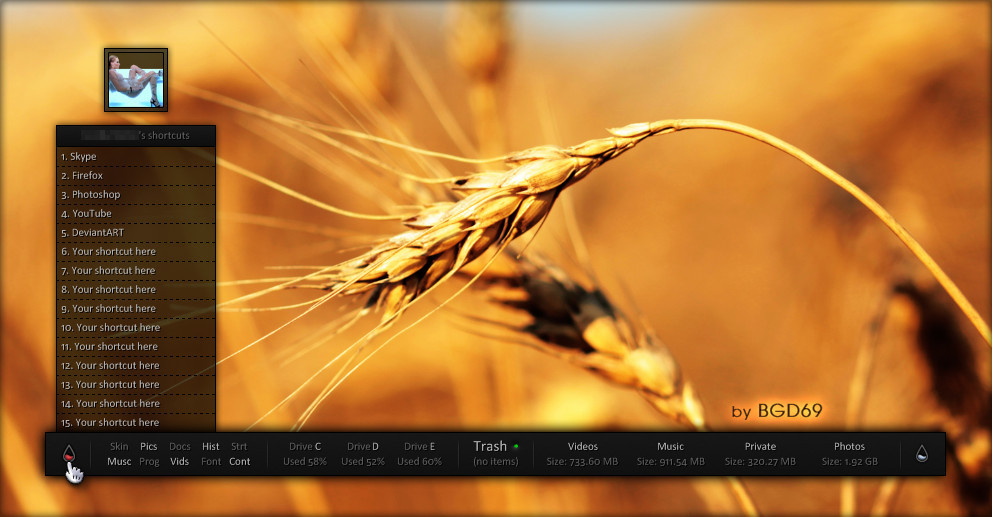
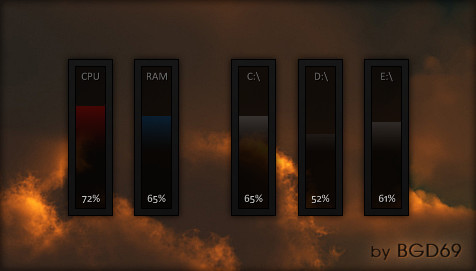
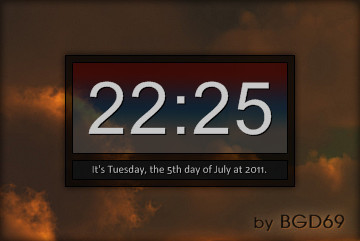
This is double Shelf+, based on shadowfax dock & GuillenDesign icons. Tested on XP SP3 & Rainmeter 2.0+You can preview skin on my desktop HERE & HERE
You can download all resized PNGs HERE
Enjoy

P. S. Before you start using skin, open Shelf+.ini and change paths to your favorite apps/folders/links.
Related content










Comments: 20


hi mmmm i tried to used this but it doesnt work 
👍: 0 ⏩: 1

that looks great! but can u share only the image file of the black shelf please?
👍: 0 ⏩: 1

"only the image file of the black shelf"
What do you mean exactly?
👍: 0 ⏩: 0

Awesome. One of the best rainmeter dock. I use it and love it
Thanks !

👍: 0 ⏩: 1

great job on that shelf, but can you help me out and advice how to change paths exactly?I am trying change ini file after open the rmskin file(it should be change for the rar file?), and your icons are gone but mine wont show.Any suggestions please mate?
👍: 0 ⏩: 1
You don't need to change .rmskin. It's more easier to first install skin, then to change everything. So, install skin, then right click to skin/edit skin.
Than find/change this line/path:
Action1="C:\Program Files\Rainmeter"
to your favorite path (example):
Action1="http:// rainmeter.net/forum" or Action1="C:\Program Files\Mozilla Firefox\firefox.exe" or what ever.
When you done, chnange rest 4 actions (Action2, Action3, Action4, Action5).
=======================
If you want to change icons, right click to skin/ Shelf+\Shelf+ (Left)/ Icons. In icon folder, every icon have 2 versions (small & big). So, rename icons you want to change with icons names you want to replace. Then replace them in Icon folder & refresh the skin.
Or you can change icon paths in Shelf+.ini. Find this to lines (every icon in shelf have a 2 lines):
Icon1="#SKINSPATH#\Shelf+\Shelf+ (Left)\Icons\rainmeter 2.png" (this line is for the smaller icons)
Icon1h="#SKINSPATH#\Shelf+\Shelf+ (Left)\Icons\rainmeter 2h.png" (this line is for the biger icons)
and change them to your icons names (example):
Icon1="#SKINSPATH#\Shelf+\Shelf+ (Left)\Icons\MY SMALL ICON NAME.png"
Icon1h="#SKINSPATH#\Shelf+\Shelf+ (Left)\Icons\MY BIG ICON NAME.png"
Hope that helps
👍: 0 ⏩: 1
Thanks a lot, i will try later on, coz i think now i know what i have done wrong.
Cheers
👍: 0 ⏩: 1
You're welcome mate & good luck
👍: 0 ⏩: 1

where to get more of those icons in the 2 different sizes?
👍: 0 ⏩: 1
All icons are here: [link] [link]
Then use some editor to resize them.
👍: 0 ⏩: 1
Awesome,thanx!
Any recommandations on an easy to use editor?
👍: 0 ⏩: 1
I resize all PNGs. You have link in description above. Enjoy
👍: 0 ⏩: 1
