HOME | DD
 mvgraphics — Windows 7 Login UI
by-nc-nd
mvgraphics — Windows 7 Login UI
by-nc-nd

Published: 2009-10-28 15:08:52 +0000 UTC; Views: 45351; Favourites: 68; Downloads: 5517
Redirect to original
Description
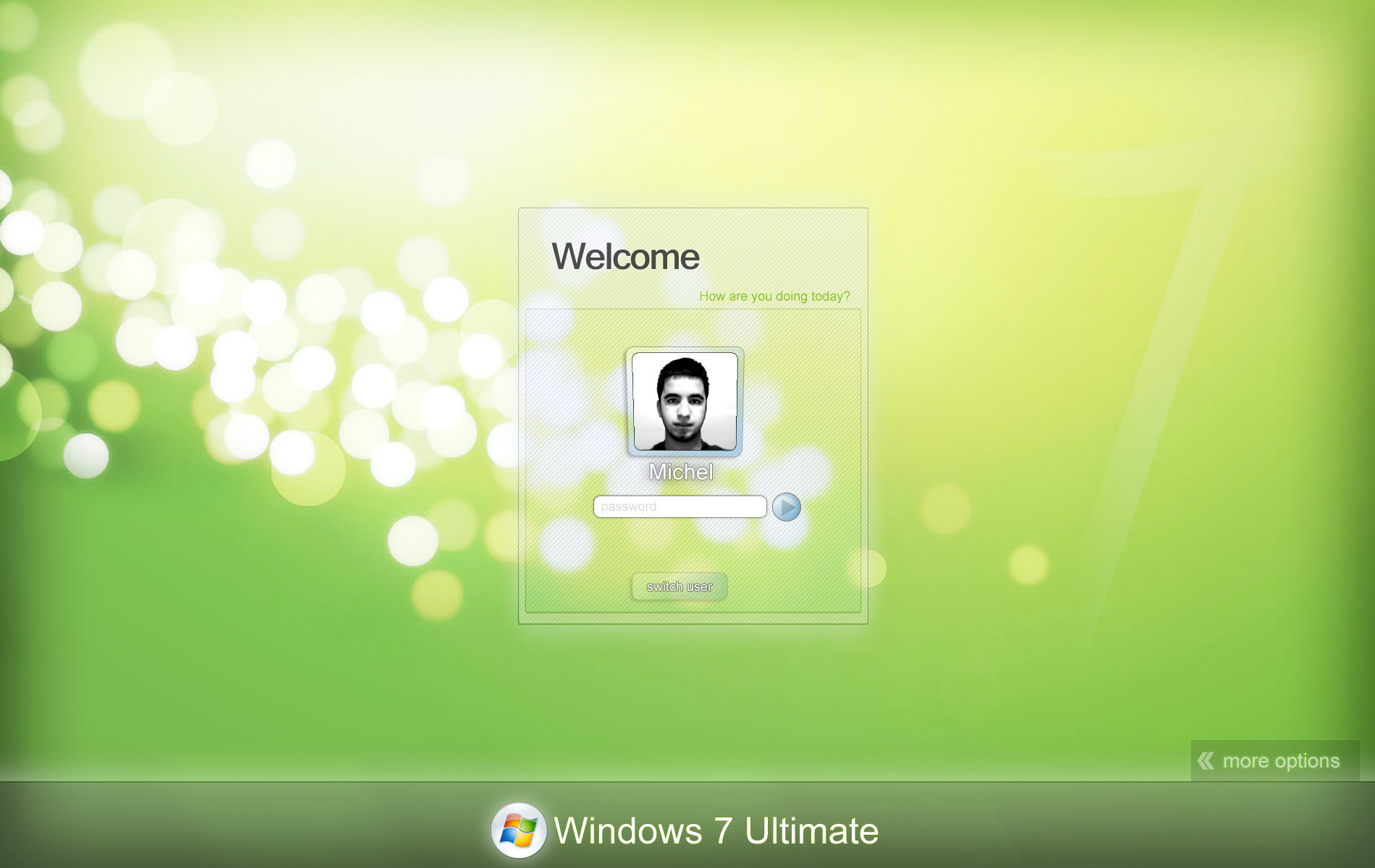
New Resolutions Added + Some Visual Effects* >> PSD FILE INCLUDED
Resolutions:
--------------------
1280x800
1280x1024
1920x1080
1680x1050
TIPS: make sure to center the picture or make it FILL
Download LINK: [link]
ENJOY
Related content









Comments: 56


I did as per the instructions and I had restore my system

👍: 0 ⏩: 1

may be you did it wrong... I don't find any reason to make this crash your system if you understood the instructions and quite experienced on these things... try to backup your system b4 doing these things... it's good you had a restore point
This mod may depend on what version you are running, namely x64(64-bit), x86(32-bit) and practically the OS
It worked for my Windows 7 Ultimate (32-bit)
Check your system in dxdiag
👍: 0 ⏩: 1
I am using windows x64 bit :
I take ownership of the authui.dll file and then replace it with original 1....and then i restart the computer I get a black screen and I am not able to access anything....then I have to go repair mode and then replace the original file and delete this 1
👍: 0 ⏩: 1
hmmn... I guess it'd be better if you ask the one who made this personally... I experienced that too but I fixed it somehow
👍: 0 ⏩: 1
my restoration also did'nt work properly so I had to restore using the copy of the original DVD!
👍: 0 ⏩: 1
Hey it worked fine 
what authui.dll did you use exactly? try renaming the original authui-OLD.dll after taking ownership
then copy paste that there....
remember that if you're 64 bit, copy the authui.dll file in the zip you downloaded but if you're 32-bit, google for the 32 bit authui.dll
remember to check your running OS in dxdiag
kindly post it as a reply so I can figure it out somehow
👍: 0 ⏩: 1
Can you send screenshots after what it looks like thanx
👍: 0 ⏩: 1
It looks like that, nothing different
I think there's no need for screenshots
👍: 0 ⏩: 1
I changed it but my user frame has not changed
👍: 0 ⏩: 0

Hey! Do you know if I can put this picture in W7 Home Premium?
👍: 0 ⏩: 1

sorry for the previous answers - i misunderstood your question - yes you can use this in with any version of windows 7, just make sure to use the app that is include the zip file.
👍: 0 ⏩: 0
Hey! Do you know if I can put this picture in W7 Home Premium?
👍: 0 ⏩: 0


yes this was made for windows 7 only. bpth 64 and 86 (32)
👍: 0 ⏩: 0

I have the same question like Zzedo...
How can i make the logon to be just like yours with << More Options ?
And when i turn off my PC the same logon image apears, how can i make it to dissapear ?
Please help us!!!
👍: 0 ⏩: 1
And when i turn off my PC the same logon image apears, how can i make it to dissapear ?
>> what do youmean by this?
👍: 0 ⏩: 1
It's the same image (ie yours), but I realized that can not changed ...
So how we can change that button to appear "<

how can i make the logon to be just like yours with << More Options ?
and when i turn off my PC the same logon image apears, how can i make it to dissapear ? thx
👍: 0 ⏩: 0

Hi,
I fallowed the instructions however, I was unsuccessful.
What am I doing wrong?
👍: 0 ⏩: 1
what do you mean by unsuccessful?
replacing the dll file.
Taking the admin right.
changing the wallpaper at windows login.
👍: 0 ⏩: 0

It looks great and works fine. But the logo is a little small on mine. It doesn't look as big as your screenshot. Is there a way I can change it? BTW my screen size is 17:3 - 1600x900.
👍: 0 ⏩: 1
to edit the logo you will need a dll file editor such as reshacker.
Note: use install to take the ownership, it will be added to the right click.
First: locate your Branding folder on %Windir%\Branding\Basebrd\basebrd.dll
Second: Have an administrator Privilage on this file (Basebrd.dll)
Third: back up the file change the name basebrd.dll to Old_basebrd.dll
and the last: Copy And Paste the the new basebrd.dll to the %Windir%\Branding\Basebrd
Download reshacker: [link]
👍: 0 ⏩: 0

Ah I love this! I just started using this today and don't think I'll ever switch away from it!
I switched it to 1440x900 in Photoshop, and not all the buttons and whatnot fit properly. Do you think perhaps you could do a 1440x900 one so it fits properly? (I tried 1900x1200, which is the same aspect ratio but same problem) Thanks!
👍: 0 ⏩: 1
i'm glad you like it.
I just have one question :
what is your native resolution?
👍: 0 ⏩: 2

He can do it on his own ,if he is comfortable with Photoshop. Just stretch the ''box'' layer too. It is some puzzling ,but at the end, you sit in front of your screen with coffee, and looking at your ''Creation''. Well Edit..
👍: 0 ⏩: 0
first create a white canvas document in photoshop (make sure is the same size of your native resolution)
then drag all the layer into the new document.
make sure to center the image in th enew canvas.
then test to see how it looks.
you will need to make a littl bigger the box on the center.
👍: 0 ⏩: 0


1920x1080. Win 7 Ultimate. 64 bit, just incase that makes a difference.
👍: 0 ⏩: 0

same as mine click here to download: [link] ENJOY
👍: 0 ⏩: 1

hmm...did you forget something? The "switch user" button and the login button are still the same as before changing the dll...Windows 7 Ultimate mark is gone 

👍: 0 ⏩: 1
| Next =>