HOME | DD
 RetroDevil — The Thug

Published: 2013-01-21 15:34:29 +0000 UTC; Views: 3338; Favourites: 50; Downloads: 0
Redirect to original
Description
Commission image.I really do like making masks

Lighting-IDLight: [link]
Mask: [link]
Related content


Comments: 35


it looks like rendered with Reality / Lux, but it isn't like i read in the posts here.
This realistic effect comes only from the light from ReRo ????
👍: 0 ⏩: 1

Thank you very much

👍: 0 ⏩: 1
Makes your light you offer at ReRo that great reality or did you use something additional?
Did you render 3Delight (DAZ), Firefly (Poser) or Octane?
👍: 0 ⏩: 1
This was rendered in Poser Firefly using my ID Light
I had DOF on too.
👍: 0 ⏩: 1
It's for poser only i see

👍: 0 ⏩: 1
Yes ID-Light is only for Poser unfortunately. It works in a similar manner to UberEnvironment though. The main difference being DAZ obviously renders differently.
👍: 0 ⏩: 0
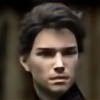
Excellent work ! The character is impressive and the lighting is very good !
👍: 0 ⏩: 1

Looks kinda like "Reality-Lux"... What is the background set you used?
👍: 0 ⏩: 1
Thanks!! "reality like" is a nice term
The background is "city ruins" by stonemason
👍: 0 ⏩: 1
Maybe the key to doing "Reality" in Poser is getting a combination of light settings with IDL that gives you the 5500 Deg K of natural daylight [which is the "color temperature" of pure white natural daylight].
I'd be interested in knowing what "color" your lights are set for.
👍: 0 ⏩: 1
I always just use white for my main light.. the ambient light is based on the image attached to the sphere... this one was an image of a field with a very blue sky.
👍: 0 ⏩: 1
5500ºK is a "Blue-white" light... it is a common light color in photography. Unfortunately Poser has never approached lighting from the same direction as film and photography... I'm not an expert [see bagginsbill !] but I suspect that the reason you're getting these results is the choice of light colory, IBL probe image and [if you used it] IDL
👍: 0 ⏩: 1
Yeah I used IDl with an HDr image probe.
👍: 0 ⏩: 2
see here [link] for a test render using your #6 IBL and a Point light set to 5500ºK.. Rendered with IDL and the Terra Dome.
👍: 0 ⏩: 1
Excellent. How do you find the K value in RGB? is that just an estimate?
👍: 0 ⏩: 0
There's a product in here some where---
All you need do is package up light sets set to specific light temperature ranges [the light temperature seems to go from reddish at sunrise to blue-white at noon to orange-ish in the afternoon to reddish again at sunset, add IBL probes with a enviro-sphere [with color / temp matched 360º sky panoramas] and a Sun [point light] Control that actually works like the sun.
One of the disappointments of RDNA's Terra Dome is that its Sun does not actually work like the real thing -- it rotates around the horizon at a specific angle.... which means that some of the Terra Dome lights / sky domes are only good for sunrise / sunset...
hmmm... probably means a two or three "shell" enviro-sphere where the outer most shell is where the "sun" and "blue sky" are located and one or two or more inner shells that can be used for clouds {you get realistic cloud shadows] and atmospheric haze... [this is beginning to sound like the old Earth-centric Universe].
a real fancy get-up would be to have a python control that would change the color of the light as you change the height of "the sun" above the horizon...
You could call the package "Real Light" with the selling point being "Get Real Light without paying the price of Reality"
okay... so much for the thought-experiment products...
👍: 0 ⏩: 1
That is a great idea. I actually tried doing this with my Id-Light product but I dont know anything about Python and couldn't figure a way to make the sun change colour. I do have another idea about making it work but I just need some free time to try it out.
If I ever get something close to testing I will give you a shout and see what you think.
The cloud thing is interesting.. I may experiment with that too
👍: 0 ⏩: 2
Oh... and here is is color temperature to RGB chart [link]
as for how to use the chart.... if you go down to the 5500 Deg K line on the chart you'll see 1.0000 0.8541 0.7277
I'm doing a render right now with a point light that is Y +250 Units in the air at about 160% intensity with the R / G / B set to those values... I'm using Terra Dome with a blue sk. I added one of your IBLs [I believe number 5 or 6 from of your light set]. If it gives similar results then I think I am on the road to near Reality renders... I'll post it whith an explanation of how I did it if it looks good. If it does then probably the only thing missing might be specular lighting of the skin.
👍: 0 ⏩: 1
oops this just answered a question i just asked you in another comment LOL
Thanks
👍: 0 ⏩: 0
Here's a blurb I found on Yahoo about Color Temperature variation [link]
Maybe I'll play around with this color control... don't know much about poser python but I do have a script or two i've written... I'll let you know if I get something working..

👍: 0 ⏩: 1
Thank you, that is an interesting read.. I have yet to really look into this info on lighting.. probably should have a long time ago
👍: 0 ⏩: 0
Thank you. I use Silo for modelling
👍: 0 ⏩: 1

I play in Hexagon and Maya, off but there are things I can do in hex that I cannot do in Maya....
👍: 0 ⏩: 1
I started learning in Maya.. Silo works similar to Maya for Polygon modelling so it was an easy choice for me to go with it. It just doesn't have animation or rendering though.
I have Hexagon but it works differently and I can never get used to it.. I like that it has physics and animation though and I will hopefully one day have a use for it
👍: 0 ⏩: 1
It seems we have had this conversation before...
👍: 0 ⏩: 1
So did i until i saw your answer and I thought Duh I've asked you that before.....LOL....
👍: 0 ⏩: 0


Thanks Petra, Much appreciated
👍: 0 ⏩: 0