HOME | DD
 FlyingHyrax — Faenzometer
by-nc-sa
FlyingHyrax — Faenzometer
by-nc-sa
Published: 2011-10-30 19:26:39 +0000 UTC; Views: 60448; Favourites: 164; Downloads: 11909
Redirect to original
Description
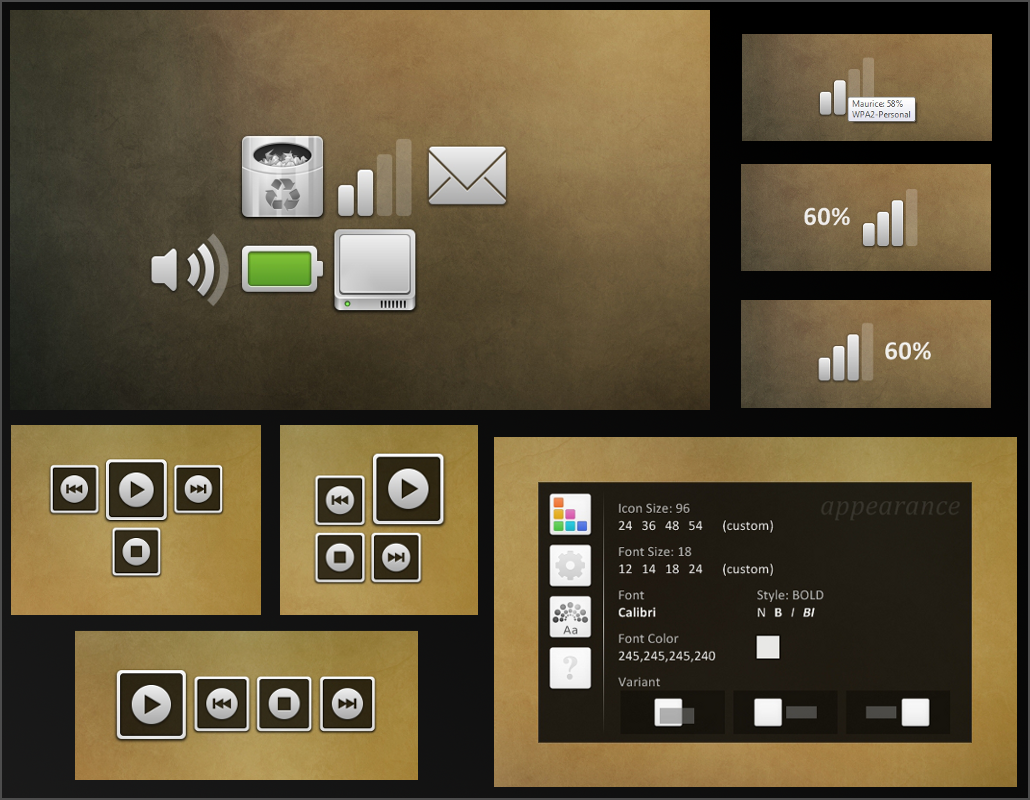
FaenzometerRainmeter status skins, version 2.0Includes skins for:
 Gmail unread Wifi status Volume control Recycle Bin status Battery status Media Player control Hard Drive status
New in this update:
 Hard drive skins X3 New "home" skin for launching Faenzometer skins and changing settings Skins (except media control) can be switched between three orientations - tooltip only, text on the left, and text on the right.
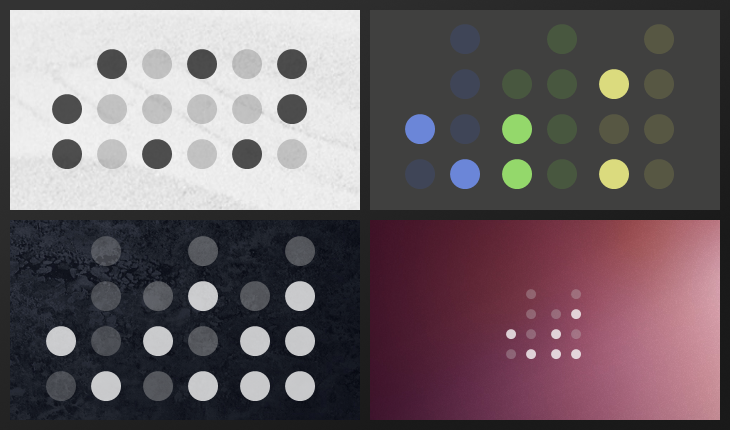
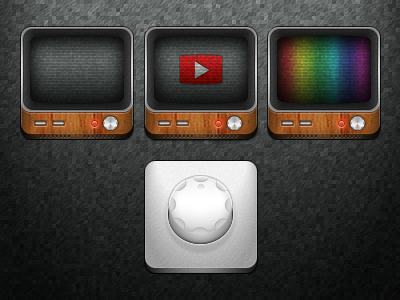
Key for ugly preview image, from top left going clockwise:
- The six main skins
- images showing the three different orientations
- a screenshot of the new home skin
- images of the different media player variants
Credits:
[link]
Faenza Icons
[link]
Faenza .png/.ico port
Related content






Comments: 41

👍: 0 ⏩: 0

Hey i was wondering how i would go about changing the volume percentage colour? i been trying a few things but im not too familiar with coding so im having a little trouble. Any help would be appreciated.
👍: 0 ⏩: 1

You'll just need to edit the [sString] section in the Volume.ini file a bit. In [sString] there's a line that reads "FontColor=#color#"; this makes the skin use the text color defined in the shared settings file that all the Faenzometer skins use. You can just change that line to "FontColor=[someColorCode]", like
FontColor=200,80,80,255
or
FontColor=FF000
(The manual has a nice section on color options: docs.rainmeter.net/manual/skin… )
Then just save the file and refresh the skin. This will change the text color for just the volume skin, and if you specify a text color for the rest of the skins through the home.ini/settings skin, it won't apply to the volume skin unless you change that line back to "FontColor=#color#"
👍: 0 ⏩: 0

The only reason I said out of range was that next to the value 4 it said range 0.0-1.0 which i suppose doesnt relate directly. Adding DynamicWindowSize=1 to the file did the trick!!! thanks
👍: 0 ⏩: 1
Ah, gotcha. 
Well, glad the DynamicWindowSize fixed it for you. I'm not sure why it needed it, but I might add it in the next release of these skins so it's there by default.
Thanks for the feedback and enjoy the skins!
👍: 0 ⏩: 0
It would seem that mIconcalc is out of range for wifi as well but it shows up
👍: 0 ⏩: 1

👍: 0 ⏩: 0
Nice skins, I too cant get the batteries to show. I checked log info and it reads mPercent, mAC, and mIconcalc are 84, 0 and 4 ...4 is out of range it would seem
👍: 0 ⏩: 1
Interesting... b/c I can confirm for you that 4 is not out of range.
👍: 0 ⏩: 0

battery widget is not running?it does not show up.i have dell inspiron n4050
plz Help me out?
👍: 0 ⏩: 1

Same problem here, everything works exept for the battery.
Awesome skins btw

👍: 0 ⏩: 0


So, what do I have to do to make it show I have an unread email?
👍: 0 ⏩: 1
Enter your Gmail username and password in "(skins folder)/Faenzometer/settings.txt", save the file, and refresh the skin. As indicated in the ReadMe ("(skin folder)/Faenzometer/ReadMe.rtf"), if your username/password contains non-alphanumeric characters, you'll probably need to encode it so that it is URL friendly and use the encoded version in the settings file.
👍: 0 ⏩: 1

What do i need to do to make the Gmail working? Right now (as i'm writing) i have 3 unread emails but it doesn't show the notification.
👍: 0 ⏩: 2
Hi HoaxCap,
If your username or password contains non-alphanumeric characters, you'll need to [link] ">encode them so that they are URL friendly. You might also check "\Skins\Faenzometer\Settings.txt" to make sure the home skin is setting the variables correctly - if you'd like you can skip the home skin entirely and just enter your information in that file. (As always be sure to save any changes you've made and refresh your skins.)
👍: 0 ⏩: 0
Nevermind, i found the answer myself.. doh
👍: 0 ⏩: 0

thank you so much! now i can get rid of my taskbar! you rock!
👍: 0 ⏩: 1

Hey, i was wondering how i could change the mouse over battery percentage to actual text next to the battery (preferably on the left side) thanks. I love the silver design and have been endlessly searching for sexy ways to get rid of my taskbar.
👍: 0 ⏩: 1
Hi seandamiller,
Sorry for the late reply.
It is definitely possible to do this (thought, admittedly, the left side is a little harder than the right). But unfortunately I have been very busy with schoolwork recently and will have to get back to this after exams. In a few weeks, I will have time to write up a little "how-to" for you. I'll post it as a Journal entry here on DevArt.
Thanks for your patience
👍: 0 ⏩: 0

How to show volume percentage next to the speaker icon?
👍: 0 ⏩: 1
Hi Rdsa,
Try adding this to the end of Volume.ini:
[String]
Meter=STRING
MeasureName=mVolume2
FontFace=Arial
FontSize=18
FontColor=255,255,255,200
AntiAlias=1
SolidColor=0,0,0,1
X=R
Y=22r
W=60
H=28
Text="%1"
You will need to adjust a few things... you can change the FontFace to the font of your choice, as well as the FontColor. Depending on how big you make the icon and how large you want your text to be, you'll have to play around with the FontSize, Y, W, and H. (When you are adjusting the W and H, you can also change SolidColor to "0,0,0,100" which will add a dark background behind the text to help you see what you're doing.)
I hope this helps, if you have other questions just ask.
👍: 0 ⏩: 1
What? You have done this for me? I'm in love <3....Thank you so much!!
👍: 0 ⏩: 1


Hey I wanted to let you know that I used your stuff in my desktop 
👍: 0 ⏩: 1


Glad you like it; you're welcome.
👍: 0 ⏩: 0

