HOME | DD
 inspiredcreativity — Vignette PS Tutorial
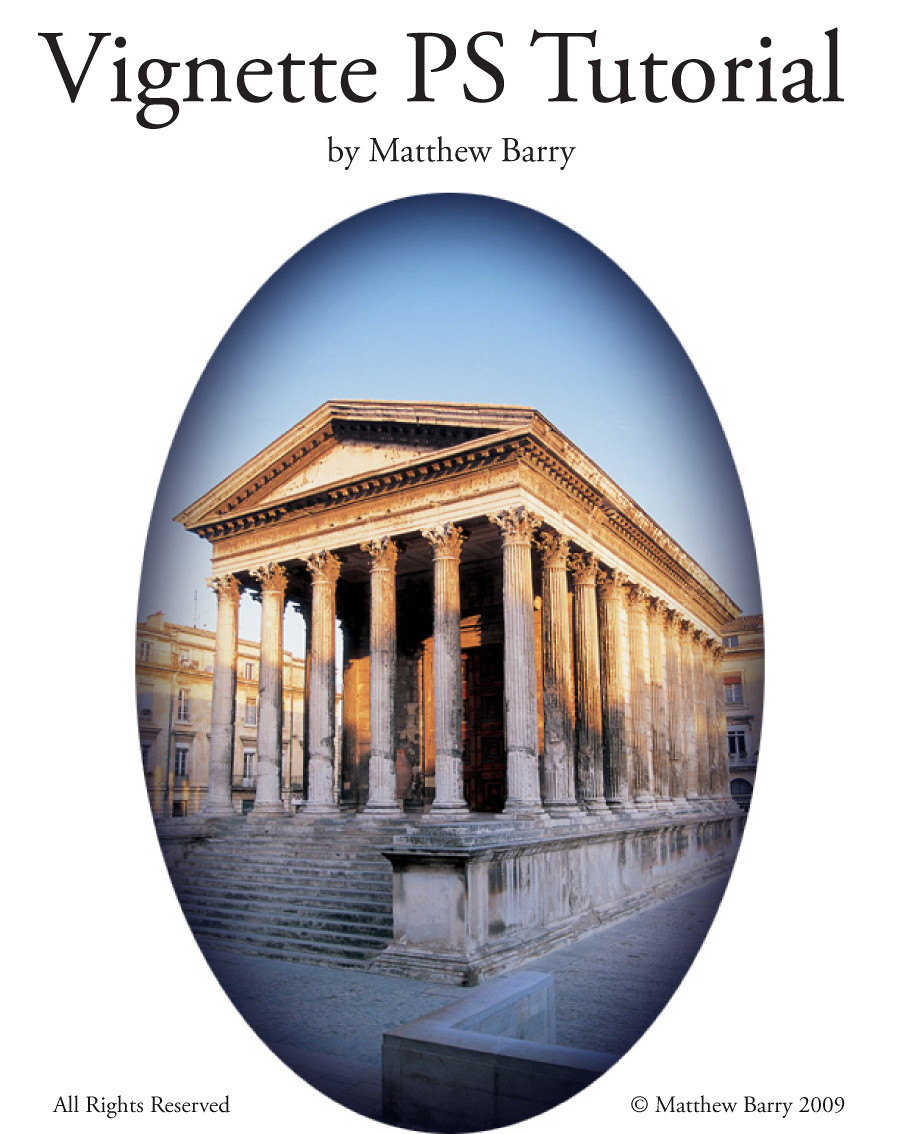
Published: 2009-02-02 00:58:46 +0000 UTC; Views: 2130; Favourites: 3; Downloads: 140
Redirect to original
Description
This is a tutorial on how to make vignettes in Photoshop. It includes the technique for darkening the edges or corners of images, and applying Photoshop image adjustments, such as Curves, Hue & Saturation.The Vignette on the cover is a combination of 7 of the 9 covered in the Tutorial. While I only cover oval or round Vignettes, you can also vignette the edges of photos for frame effects, or do any shape you want.
This Tutorial comes complete with an image file for you to follow along with the detailed step-by-step instructions, including many screenshots, as well as a completed image file will all levels and adjustment layers intact.
ENJOY!
© Matthew Barry 2009 All Rights Reserved
Related content




Comments: 10

Awesome thank you so much, I am having such a hard time trying to add a dream- like vignette/ haze to a picture argh!

👍: 0 ⏩: 1

You are most welcome. Tearing your hair out in frustration is a ritual of passage, only it keeps happening, lol.
👍: 0 ⏩: 1


thank you very much!!!
i like it...
i really needed that kind of help !!

👍: 0 ⏩: 1
You are most welcome. I am glad it was of some help.
👍: 0 ⏩: 0

As I'm learning things like this help very much.
Again, Thank you.
👍: 0 ⏩: 1
I glad it was helpful. If you needhelp in a specific area, let me know, and i will see what I can do.
👍: 0 ⏩: 1
