HOME | DD
 runeechan — Runee Tutorial 1-Lineart

Published: 2004-10-27 22:29:51 +0000 UTC; Views: 13646; Favourites: 170; Downloads: 5699
Redirect to original
Description
Sooooooooooooooooooooooo many people asked and asked for this....so......I'll give them what they want~~~!!!!! Here it is. I know its big....sorreh. This is the easiest way i could think of doing a tutorial. I tried using Flash but.... I forgot how to use it!!!! O______________O;;;;;;;;;;;;;;;;;;;Sorry but this is only for Photoshop 7.0 users. There are plenty more to come. So hang on. These are hard to make!
 ;
;
Related content






Comments: 73

idk. ive NEVER scanned in color and made it look good
👍: 0 ⏩: 1

oh ok well then is there some way to scan a half colored drawing but in black and white, do you think it will come out good~??
Oh and I love your drawings, they are so awesome~!
=3
👍: 0 ⏩: 1
um.... maybe. it'll just come out black n white.... you have to see it yourself and pass that judgement yourself
👍: 0 ⏩: 0

this will be very usefull once i get a scanner hehe, by the way, what type of scanner do you use?
👍: 0 ⏩: 1
oh okay hehe just wondering cuz i've been wanting a scanner hehe sorry to bother yo with that question
👍: 0 ⏩: 1

thanks! i was having problems with the "shadows" as well.

👍: 0 ⏩: 0

Lol. |D This also works in GIMP if you wanted to know.
👍: 0 ⏩: 0

Runee i didnt know you had tutorials to your awshumness *_*
i wanna have your blue haired babys

👍: 0 ⏩: 0

pretty cool tutorial, very simplistic and useful
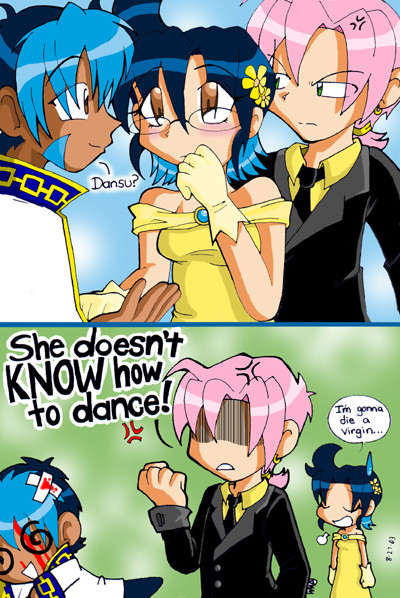
that boy is thinking "hmmm she has no pants..."
👍: 0 ⏩: 0

its so simple 0.o I would have never thought that. I always over look it. Thanks XD.
👍: 0 ⏩: 0

linked me to this. If you want to put tutorials somewhere, I host an artist's tutorial site that could kill for a boost. It can be found at [link]
It's never been updated since its creation, tho, so I'd *love* to host any tutorials you want to throw together. ^^ Give me an excuse to jump-start the place... and use the bunny again.... I like the bunny.
Submission info stuff is at [link]
👍: 0 ⏩: 1
well i havent made any other tuts....and dont really plan on doing more right now....but sure, i'll submit the ones i have now. &&;; i just have to do it some other time...seeing as i go into work in half an hour. ja!
👍: 0 ⏩: 0


I always wanted to know how to do this, but all of the tutorials made things complicated. Yours explains it perfectly fine! oh thank youuuuu @o@
👍: 0 ⏩: 0

i'll just fav this one but it is ment for your whole tutorial excellent work it will help me a lot thx
👍: 0 ⏩: 0

thanks runee 

👍: 0 ⏩: 0

your tutorials are stunning! 
👍: 0 ⏩: 0


Thanks for this tut. Been fiddling around for quite some time now trying to get the results you show here. Now I can move on to the more creative parts.
This gets a 
👍: 0 ⏩: 0

lots easier than the way we were taught to do this in class. In they told us to retrace it with the pen tool
👍: 0 ⏩: 0

using levels are better than brightness/contrast ^__^ i thought i'd help. great tutorial keep em coming

👍: 0 ⏩: 0

this is great!! ...uh, shouldn't this be in the tutorial section?
👍: 0 ⏩: 1

Excellent tutorial Runee! 


👍: 0 ⏩: 1
YES YES PLEEEEEZZZEEE. make me like...bounce up and down somehow...
👍: 0 ⏩: 0

Awsome Tutorial! XD This will help me alot ^___^ I always did the thing that Jequila did!.. Blah!
Thanks!

👍: 0 ⏩: 0


Your tutorial is very, very helpful.
It will help me a lot.
Thanx.
👍: 0 ⏩: 0

you should get ps cs, it has plenty of more nice stuff....
nice tutorial... let's try it XD
👍: 0 ⏩: 0

GREAT Runee-Chan! ^_^..you've opened the gates to brighter futures for anime artist....next you shall reveal your methods of coloring!
👍: 0 ⏩: 0

i use adjust>curves myself.
this is another technique that i may have to use... or at least try once.
👍: 0 ⏩: 0


Can u show us how to do painting part!?.. Please so i can make my stuff look clean like urs...^^
👍: 0 ⏩: 1
i just finished it yesterday so i'll submit it...........NOW!!
👍: 0 ⏩: 0
Okay i have photoshope now is the paint suppose to be done slow like do it ur self. u know what i mean....^^ How does ur pics come out practice?
👍: 0 ⏩: 0

^^
Hmmm, pretty hard to believe people don't know how to do this, but I guess I woudn't either if U had never taught me XP
👍: 0 ⏩: 0

Okay...I just took a REALLY good luck at the pic you've got as the example work on what to do.........
........................................ ...................
I wish I could say something more constructive....but...dude...*laugh* what'ya tryin to do, tease em? *snicker* that's wrong...
👍: 0 ⏩: 1
lol. actually....its some art I havent submitted yet. I just felt like starting the tutorial with this image. @___@
👍: 0 ⏩: 1
yeah, I figured as much. i wasn't sure cause I hadn't seen it before. I just had to ask...it's cute.....a naughty cute, but cute *snicker*
👍: 0 ⏩: 0

mew mew...I can do that....but my problem is, sometimes..my scanner likes to be really wierd and make the lines REALLY bold..and make it HUGE...like 2 MB huge! It's very inconsistent, but even when I don't get that, I still can't get perfect lines the way you do, Runee-sama! How do u do that?
Dawnie-chan
👍: 0 ⏩: 1
are you scanning in black in white or grayscale? black and white make the lines SUPER thick! Grayscale makes the lines how they were intended to be, and then you use my tutorial to sharpen it up.
👍: 0 ⏩: 0


This is one of the best tutorials I've found. I'll put it to use right away.
Keep up the good work!!
👍: 0 ⏩: 0
| Next =>