HOME | DD
 Lizkay — Channel Marking - Tutorial

Published: 2008-11-25 20:53:01 +0000 UTC; Views: 9431; Favourites: 165; Downloads: 244
Redirect to original
Description
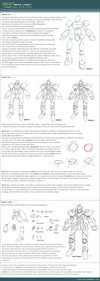
as promised...Advanced Channel Marking, simply "advanced" because it allows you to reuse your already done shading of traditonal sketches, drawings, inked images, etc. just try it
I LOVE this technique... it's so fast and easy to use
 and it allows you to overwork sketches digital, even color wise like BAM
Any questions? Just ask


ADD-on:
Images used in this tutorial, resp. colored using this method:
[link]
[link]
EDIT: since I moved the category...
it's for Photoshop CS and up...
Related content




Comments: 39


I'll def have to give this tutorial a try! Thank you so much
👍: 0 ⏩: 0


Awesome, thanks - can you tell me if there is a difference between adobe photoshop 7.0 and below(or above) and photoshop CS2, CS3, etc?
👍: 0 ⏩: 1

hmm.. it's been a while since I used 7.0, CS2 and up offers a own filter preview screen, which the lower versions didn't have. I think Channels are only supported on CS versions up as well, also a lot of brush settings, for example, multi colored brushes
between CS2 and CS3, I can't really say much since I only use(d) the CS2 version so far
👍: 0 ⏩: 1
Sorry for all the questions lol but what do channels help with? I've heard of them, but I use photoshop elements 3.0 which doesn't have as many tools as regualar photoshop, but you can still do a lot with it. It doesn't have channels. It does have filter preview screens though...so yay =]
👍: 0 ⏩: 1

that's what's channels do 
👍: 0 ⏩: 1

And I always wondered what the channels are useful of....
Thank you! I need to try it!
👍: 0 ⏩: 1
Other than for this... Channels don't do much
👍: 0 ⏩: 1

these tutorials have always been amazingly helpful, thank you for taking the time to make them for all we that are of the not-so-good at photoshop xD
👍: 0 ⏩: 0

I really do love these tutorials. :3 I'm learning so much from them. 

👍: 0 ⏩: 0


Wow, this is awesome. I never realized what channels could do before this. Thanks for putting this up!! ^__^
👍: 0 ⏩: 1

BTW, I did a deviation using this method and I credited you for it [link]
Thanks again for putting this up!
👍: 0 ⏩: 1
Oh I think it turned out really nice!
Great to see it's helpful!
👍: 0 ⏩: 1
👍: 0 ⏩: 0


Audi! 
-cough-
Awesome tutorial C8 Pitty I no longer have channels. I have to do everything by hand in Photoshop Elements 8X
👍: 0 ⏩: 1
hmm, Elements doesn't come up with a channel menue? No idea, might be hidden since it's made for photo editing and this trick is a photo-editing trick
Audi distracts...

👍: 0 ⏩: 1
I actually read and looked through their help files, t'ain't nothin on channels in Elements 8X
Audi's are all the rage these days
👍: 0 ⏩: 0

That is GENIUS.
Yet another way to color! I'm gonna have to use this -- I daw pencil all the time but I have the hardest time coloring it. I'm gonna have to use this when I get home.
👍: 0 ⏩: 1
Channels are your FRIEND! 
I really love to use that, and it's so fast, doesn't even take 2 minutes to prepare your sketch, drawing, whatever
👍: 0 ⏩: 1
How perfect. I've used it and it's definitaly fun! xD
👍: 0 ⏩: 0


I've always used the Colorize filter to make my already shaded pencil lines a color, but this method might be worth a try. Channels have always confused me - I really know nothing about them - so this made it a lot easier to understand. Great tutorial! 
👍: 0 ⏩: 1
oh wow, colorize? sounds like a lot of work 
The biggest advance of the channel marking thing is that it takes like... 2 minutes?
👍: 0 ⏩: 0

omg ive been trying to figure this out for so long!
thank u so much
👍: 0 ⏩: 1