HOME | DD
 Mimru — Icon steps

Published: 2012-08-30 10:41:22 +0000 UTC; Views: 58363; Favourites: 3038; Downloads: 0
Redirect to original
Description
 Click for full view
 Hi ^^
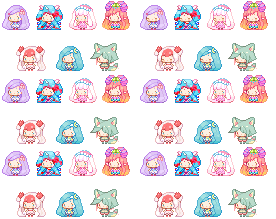
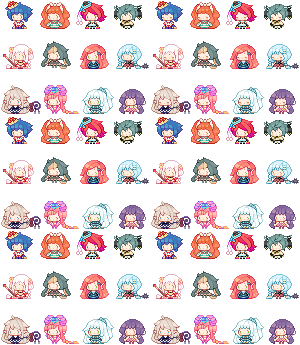
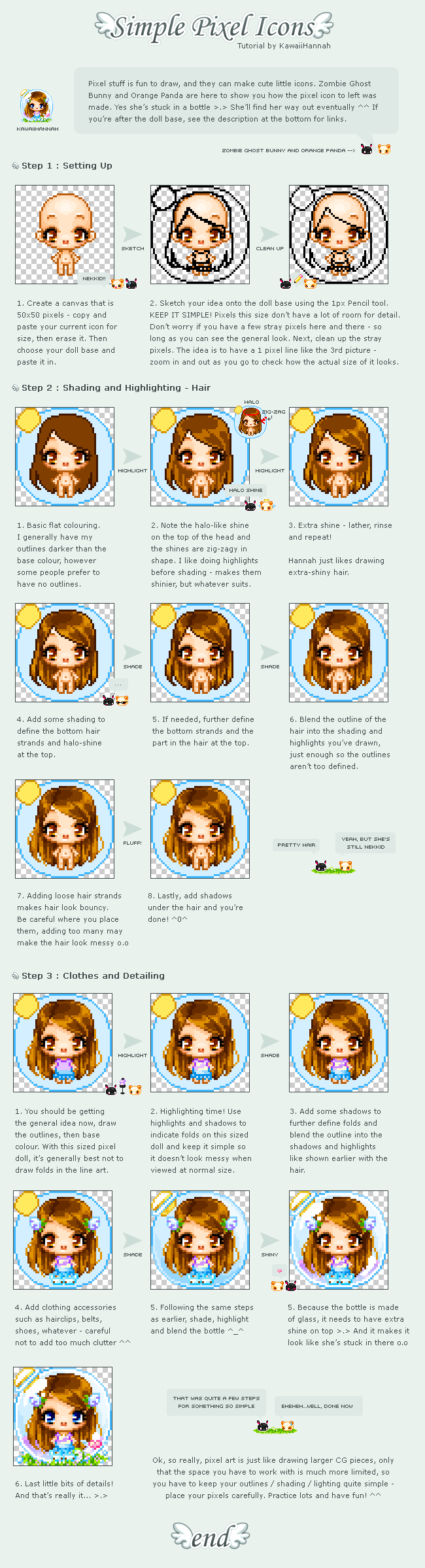
 Program Used: Photoshop I always work on 50x50 pixel, 300 DPI resolution. I zoom the icon to 100% and work on all details closely.I use my own pre-made base.I'm not good in explaining so, I decide to put some steps of my icon
  I hope this will be helpful <3If you need, feel free to ask me > u < <3
F.A.Q.
How can I do transparent Background?In Photoshop when you create a new canvas file, choose "Transparent background" instead of "white background" >u<
How can I create transparent background on another program?I don't know sorry ;u; try to search some tutorials of your favorite program around DA ;w; <3
How Photoshop works?Sorry but I'm not able to explain how the program works ;u; sorry!<3333
Luna belongs to =M0onGirl
If you have any question feel free to ask me * o *
Another Icon Steps
--------------------
My icons
Please, don't trace, copy, steal, modify, re-upload or use my works without my permission, thanks
Related content







Comments: 339


I'm bad but
what's a DPI resolution and how do you change it?
👍: 0 ⏩: 1

Idk if you know by now buts its basically the quality of your work. You change when you press "make new canvas" or whatever t usually says your going to see the size and resolution, the standard resolution is 72, but that is not usually good for art work so you want to change that to 300

👍: 0 ⏩: 0

Do you have any tutorials on drawing pixel eyes? Yours are so good qnq
👍: 0 ⏩: 0

Is it possible to make bigger icons than this? Thanks!
👍: 0 ⏩: 1

I dont think it is due to what deviantart will allow, but you can feel free to try!
👍: 0 ⏩: 0

It says "I always do shadig"
But anyway, thanks!
👍: 0 ⏩: 0

Hey, I have a question!
I have a simple icon, and I want to upload it to my Deviant, but every icon have a "code", right?
like :icon splodervit: (without the spacebar)
How do you find/put this code in the uploaded icons?
👍: 0 ⏩: 0


Question! I dont have Photo Shop and i do't want to get it ether what can i use?
👍: 0 ⏩: 1

Paint Tool SAI, GIMP, or other programs with a pixel pen tool.
👍: 0 ⏩: 1

Woah. so im trying to do a sketch for one of my characters, but uh, everytime i try to do the eyes, its just a bunch of pixels, is my canvas too small? @_@ (im on the 50x50 and 300dpi, is it supposed to be like this?)
👍: 0 ⏩: 1

Don't too much details on the eyes. Whenever I made an icon, I would usually give the eyes less details if i'm working on a 50x50 pixel with 300 DPI. Sketch the eyes, base color, shadow and highlights. I hope that helps.
👍: 0 ⏩: 1
Yeah, thank you!
👍: 0 ⏩: 0


OMG YOU ARE AMAZING!!!! I am trying to make a cat girl icon but it looks so bad.LOL
👍: 0 ⏩: 0

i have a question!!! i tried to make a icon for myself in photoshop elements 9 and it was a 50x50 and all, but it told me the file size was too big (it had to be a minimum of 15 KB while mine was around 47...) do you know how i can fix that?
👍: 0 ⏩: 1

you probably did too much colors in it or too mane animation frames >u< try to make it less huge!
👍: 0 ⏩: 1

Hi! if ound this helpful but where can i get the chibi template?
👍: 0 ⏩: 1
what do you mean for chibi template?>u<
👍: 0 ⏩: 0

I've been looking sooooo long for a photoshop tutorial for pixel icons >u < thank youuuuuu!!! <333
👍: 0 ⏩: 0

Soo cute *^*
Oh and where do you get these templates pre-made?
👍: 0 ⏩: 0


is that in photoshop 0-0 *dies*
THIS IS AMAAAAAZZZIIIINNNNNNGGGGG !!!!!
👍: 0 ⏩: 1

This helps a lot! I've been meaning to start pixel art sometime, so this is really helpful~

👍: 0 ⏩: 1
I'm happy to hear that ;v;!!<33333
👍: 0 ⏩: 1


I don't know if his question has already been answered but... I believe in most programs (i know in at least photoshop and I'm pretty sure SAI) you can save the file as a .png. That supports transparency, just as long as there are no background layers.
👍: 0 ⏩: 1


I have few questions, hope you don't mind. (completely new to pixel art)
Can you draw a sketch on paper then scan it, then do the steps to pixel it? Or do you have to sketch it digitally?
When you sketch it, is the skech big then you shrink it or do you just draw it small?
How do clear the lineart from being black?
Is pixel art hard? 
👍: 0 ⏩: 1

Yes you can scan your paper into it , but make sure to resize it to 50x50 size if you want to make an icon .
Pixel art is hard at first for everyone , if you practice it'll be easy as eating a cake.
👍: 0 ⏩: 1
You're the only person that answered me, thank you so much.

👍: 0 ⏩: 1

This helped me a lot for my icon ;w;
Thanks for the steepsss!!
👍: 0 ⏩: 0

Thanks!~
Oh god my icon attempts are terrible just look at the wakasagihime icon i currently have
👍: 0 ⏩: 0

its very helped, thank u soooo much <3
👍: 0 ⏩: 0

No I use a wacom intuos 3 >u< <3333
here's more info in my F.A.Q ^^ mimru.deviantart.com/journal/F...
👍: 0 ⏩: 0

Thank you for the tutorial~ (But i still can't make a pixel 
👍: 0 ⏩: 1
| Next =>