HOME | DD
 PrePAWSterous — :Simple Bobbing Tutorial:

Published: 2013-04-11 06:21:49 +0000 UTC; Views: 6670; Favourites: 454; Downloads: 52
Redirect to original
Description
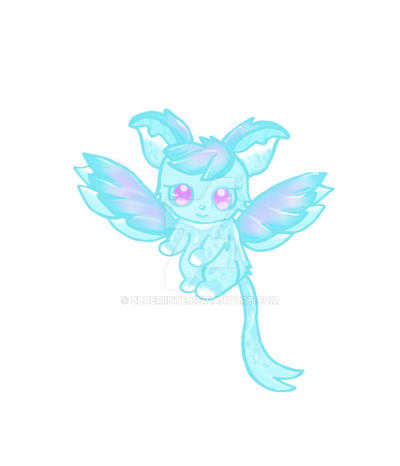
A lot requested me to make a tutorial about animating, but I'm afraid I cannot do that since it will take a lot of time. So I decided making a tutorial on a 2-frame animation popularly known as the bobbing/bouncing anim.This is my first tutorial so I hope you guys will like it

Feel free to ask me "valid" questions about this.
----
Darn! This won't be accepted in the tutorials category ;u;
Related content





Comments: 123


Awesome tutorial! I sure will be using this soon =3
👍: 0 ⏩: 0

Thank you! This was super helpful! I used it here!
👍: 0 ⏩: 0


I just wanted to make it aware for everyone, GIMP can be used to animate things. Do the same steps shown here, but when it comes to animateing, do it in GIMP, export as a GIF. Mark the box that says as animation, and but 200 in the box with the number. ♥
👍: 0 ⏩: 0


Well, neither do I, but I think apps.pixlr.com/editor/ might be able to do the same stuff as Photoshop... Plus, it's free! Also, ezimba.com/index-ln.html has an animation tool under "Mix"- the 'Frame Animation' tool. So, you might be able to do this without buying or downloading anything! ^^ Hope I helped!
👍: 0 ⏩: 0

Wow, I thought doing something like bobbing would be a very complex process, but this is great! Thank you <3 I will use this someday!
👍: 0 ⏩: 0

I'm pretty sure gimp has that option.. or an online animating site, possibly? But nice tutorial ^^
👍: 0 ⏩: 0


is cute!!!!!!!!!!!!!!!!!!!!!!!!!!
thx for the tutorial!
👍: 0 ⏩: 0

I have a question.
What size(pixels) is that chibi drawing ?
👍: 0 ⏩: 0

A'wwwww your cat is so cuteeeeeeneeeeessssssssssssssssss
👍: 0 ⏩: 0


I tried to use this tutorial and followed every step. But for some reason when I submit it to dA it doesn't bounce.
I used photoshop Cs4 though.. is there a difference?
[link]
👍: 0 ⏩: 1

did you save it as a "gif". Did you used "save for web and devices"?
👍: 0 ⏩: 1
oh i fixed it! thanks so much <3
👍: 0 ⏩: 0

Can you tell me how? I've been trying to figure out bobbing animations but it never works...
👍: 0 ⏩: 2

[link] Here is a better tutorial from me
👍: 0 ⏩: 1
draw a pic---> Right mouse click---> new layer---> transparency 70% ---> draw on the new layer the next pic---> transparency 100% and then repeat those steps.
Save the animation as .gif not as .png or .bmp
I will do a tutorial!
👍: 0 ⏩: 1
Do you know how to do that with a transparent background? (sorry)
👍: 0 ⏩: 1
uhhm yes if you make a new layer with right mouse click then there should come a button. Click on transparency and then on ok.
👍: 0 ⏩: 1


It does, you can download Paint Tool Sai for Mac. And if you don't have Photoshop you can use an online gif maker.
👍: 0 ⏩: 1
Sorry but I don't know ;u;
👍: 0 ⏩: 1

ok ill have to experiment ;w;
👍: 0 ⏩: 0

Could you by any chance make more tutorials? The way you explain things makes it easy to understand.
👍: 0 ⏩: 1
probably next timee
👍: 0 ⏩: 1

Thank you.
I'd have never figured it out without this. ^^
👍: 0 ⏩: 1
Glad it helped it you
👍: 0 ⏩: 0
Thank you thank you thank you.
👍: 0 ⏩: 0
| Next =>