HOME | DD
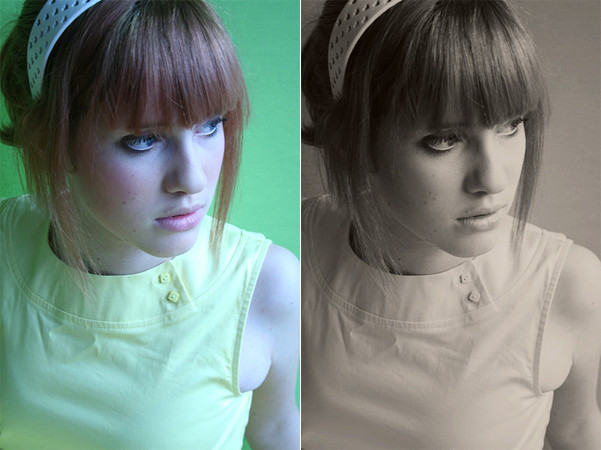
 rocketlaunch — tutorial: blue-pink contrast.

Published: 2007-08-08 15:58:57 +0000 UTC; Views: 3014; Favourites: 24; Downloads: 0
Redirect to original
Description
i will be using photoshop cs2 for this tutorial.1. go to layers > new adjustment layer > curves and select rgb from the drop-down list. click anywhere on the grid and fill this in:
point 1: 27, 35
point 2: 108, 140
point 3: 202, 224
select red from the list, click anywhere on the grid and fill this in:
point 1: 82, 73
point 2: 184, 188
select green from the list, click anywhere on the grid and fill this in:
point 1: 38, 38
point 2: 185, 188
now select blue from the list, click anywhere on the grid and fill this in:
point 1: 38, 50
point 2: 202, 194
2. duplicate the background layer and drag it to the top. set it to soft light at 50%.
now merge the layers and you're done!
stock: :devyellowstock:
image: [link]