HOME | DD
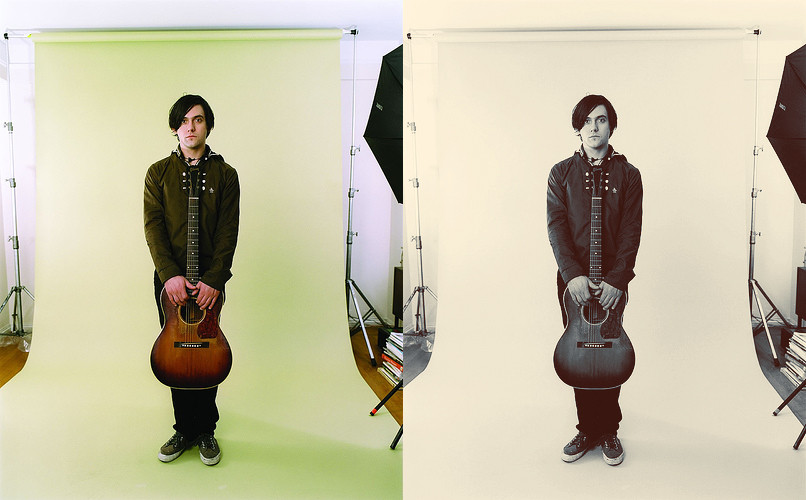
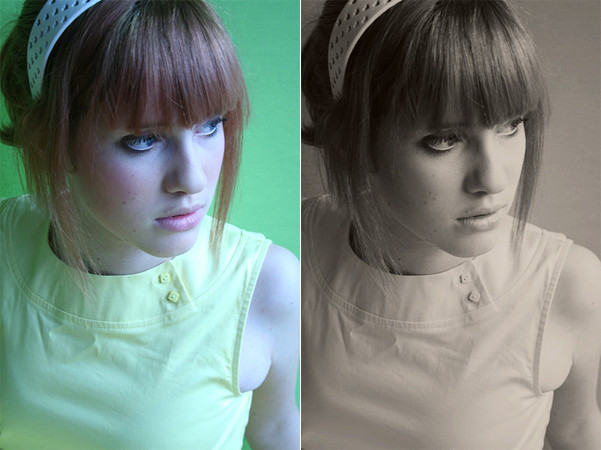
 rocketlaunch — tutorial: blue-orange contrast

Published: 2008-10-17 16:54:22 +0000 UTC; Views: 7502; Favourites: 61; Downloads: 0
Redirect to original
Description
I will be using Photoshop CS2 for this tutorial.If it isn't there already, go to window > layers to bring up the layers window.
1. Go to layer > new adjustment layer > levels and fill this in:
Input levels: 39, 1.38, 239
Output levels: 15, 255
2. Go to layers > new fill layer > solid colour and put the hex code #252D3D in the text box. Set this layer to lighten at 60% opacity.
3. Go to layers > new adjustment layer > selective colour, select "absolute" and fill these in (the colours are on the drop-down list):
RED
-35, -13, -31, +4
YELLOW
-17, -19, -17, -7
GREEN
-57, +13, -18, -3
MAGENTA
-22, -25, +15, +3
WHITE
-21, -3, 0, 0
NEUTRAL
-6, -18, -24, +12
BLACK
+27, 0, -6, -1
4. Go to layer > new adjustment layer > colour balance, select "preserve luminosity" and fill this in:
Shadows: -18, -17, -14
Midtones: -26, +11, +2
Highlights: +14, -4, -4
5. Go to layer > merge visible to merge the layers.
6. Duplicate your background layer by right clicking on it and selecting "duplicate layer", or simply dragging it to the small icon that looks like a folded piece of paper on the layers window.
Set it to soft light at 50% opacity.
7. Go to layers > new adjustment layer > curves and select blue on the drop down list. Click anywhere on the grid and fill this in:
Input: 34
Output: 49
Now click on the grid again, to make a new point.
Input: 227
Output: 223
8. Duplicate your background layer again and drag it to the top of the list. Set it to multiply at 25% opacity.
Now merge your layers and you're done!
Image: [link]
Stock: :devnikxstock
Related content







Comments: 10

WARNING! Carry on reading! Or you will die, even if you only looked at the word warning! Once there was a little girl called Clarissa, she was ten-years-old and she lived in a mental hospital, because she killed her mom and her dad. She got so bad she went to kill all the staff in the hospital so the More-government decided that best idea was to get rid of her so they set up a special room to kill her, as humane as possible but it went wrong the machine they were using went wrong. And she sat there in agony for hours until she died. Now every week on the day of her death she returns to the person that reads this letter, on a Monday night at 12:00 a.m. She creeps into your room and kills you slowly, by cutting you and watching you bleed to death. Now send this to ten other pictures on this one site, and she will haunt someone else who doesn't. This isn't fake. apparently, if you copy and paste this to ten comments in the next ten minutes you will have the best day of your life tomorrow.You will either get kissed or asked out, if you break this chain u will see a little dead girl in you
👍: 0 ⏩: 1

Probably because I ate her.
👍: 0 ⏩: 1

Will this work in CS4? Because I can't find anything, and my version is in Dutch

👍: 0 ⏩: 2

i'm not sure.. i've never used cs4 for actions and i don't know dutch. >< sorry.
👍: 0 ⏩: 1
I found it already

👍: 0 ⏩: 0
Never mind, I found everything now

👍: 0 ⏩: 0

What about for Photoshop Elements? This is really helpful. I wish it could work for elements

👍: 0 ⏩: 1
i have no idea how to use photoshop elements, sorry. ><
👍: 0 ⏩: 1
that's ok ^^ thanks anyways

👍: 0 ⏩: 0