HOME | DD
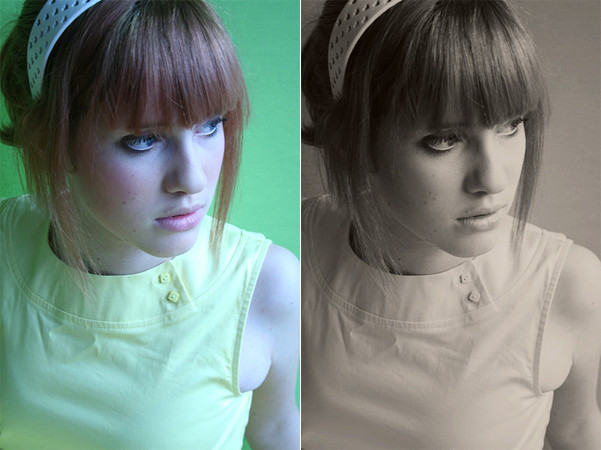
 rocketlaunch — tutorial: blue-pink 2

Published: 2007-10-25 16:57:25 +0000 UTC; Views: 11388; Favourites: 150; Downloads: 0
Redirect to original
Description
i will be using photoshop cs2 for this tutorial.1. go to layer > new adjustment layer > curves and fill this in:
rgb
point 1: 26, 38
point 2: 95, 133
point 3: 190, 219
red
point 1: 74, 23
point 2: 132, 146
point 3: 186, 208
green
point 1: 62, 56
point 2: 170, 206
blue
point 1: 78, 72
point 2: 164, 185
set this layer to 65% opacity.
2. go to layer > new adjustment layer > selective colour and fill this in:
whites: -19, -28, -15, +18
neutrals: -28, +4, -19, -18
blacks: +14, -9, -21, +18
3. go to layer > new adjustment layer > colour balance, check "preserve luminosity" and fill this in:
shadows: -2, -10, -31
midtones: -24, -19, -34
highlights: -13, -17, -19
set this layer to 45% opacity.
4. duplicate your background layer and drag it to the top. set it to multiply at 25%.
now merge the layers and you're done!
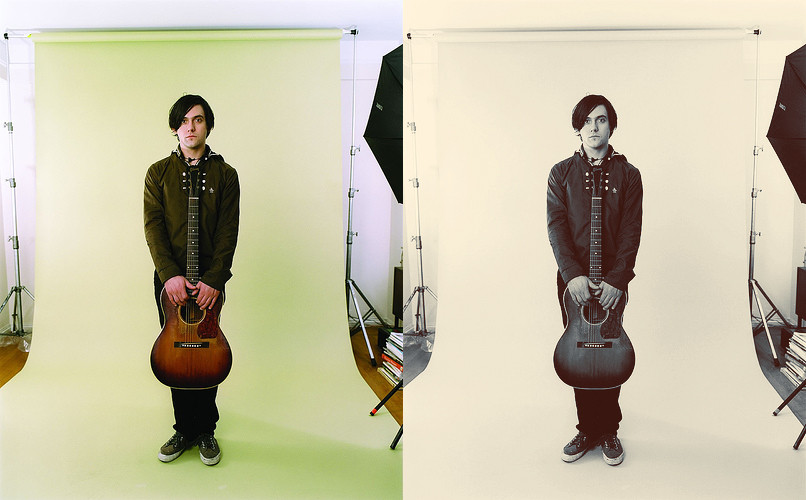
photo: bright eyes.
Related content





Comments: 12

Excellent and very helpful. I'll be using these in some photos later! Thank you.
👍: 0 ⏩: 0

Sry but....i have no neutrals..please help i only have whyte gray black red yellow green cyan blue and magenta
please help me
👍: 0 ⏩: 1
thanks,now i can handel your tuts ^^
👍: 0 ⏩: 0


Thanks so much for posting such a lovely tutorial!
It's easy to understand, and we're using the same version of Photoshop.
I added a lot of your tuts. to a favorite folder, and I wanted to say 'thank-you' for all of them! I didn't want to comment spam you ToT.
You do realllyyyyy awesome work d:
👍: 0 ⏩: 1

thank you so much!
hope you enjoy any future tutorials.
👍: 0 ⏩: 0


This will be so helpfull for when I make more icons <3
Thanks a ton!
👍: 0 ⏩: 0