HOME | DD
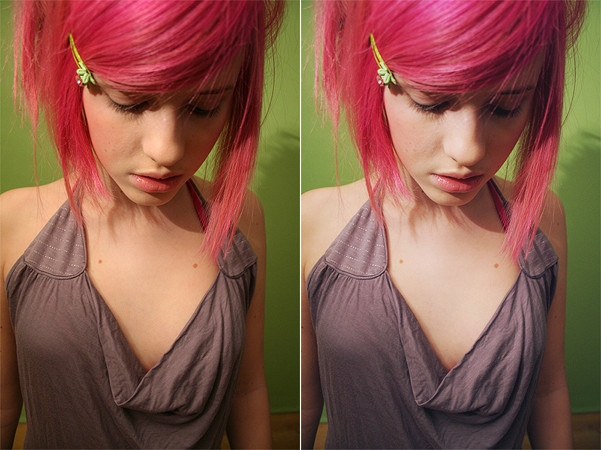
 rocketlaunch — tutorial: dull tone
Published: 2007-02-17 20:15:34 +0000 UTC; Views: 6612; Favourites: 66; Downloads: 0
Redirect to original
Description
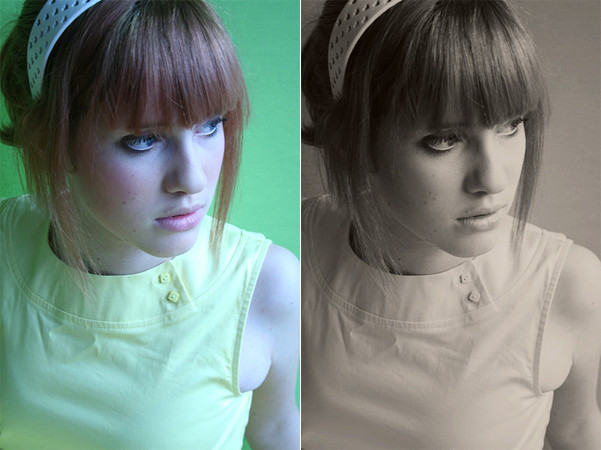
i will be using photoshop cs2 for this tutorial.1. pick your image. i will be using the one above, taken from *yellow-stock 's gallery.
2. now duplicate your background layer, and set it to screen at 20%.
3. create a new raster layer and fill it with the colour #B5848A. set it to soft light at 100%.
4. create another new raster layer and fill it with the colour #C8CF9A. set that layer to soft light at 40%.
5. now duplicate your background layer and drag it to the top. set it to soft light at 25%.
6. go to layers > new adjustment layer > colour balance and fill this in:
shadows: -21, 0, +21
midtones: -35, -5, -1
highlights: -3, -1, +20
7. go to layers > new adjustment layer > invert. set that layer to 10% opacity.
8. duplicate your background layer again, and drag it to the top. set it to overlay at 30%.
now merge your layers and you're done!
if your image doesn't look similar to the one above, play around with the settings until you're happy.