HOME | DD
 rocketlaunch — tutorial: smooth desaturation

Published: 2007-10-21 10:38:16 +0000 UTC; Views: 17706; Favourites: 180; Downloads: 0
Redirect to original
Description
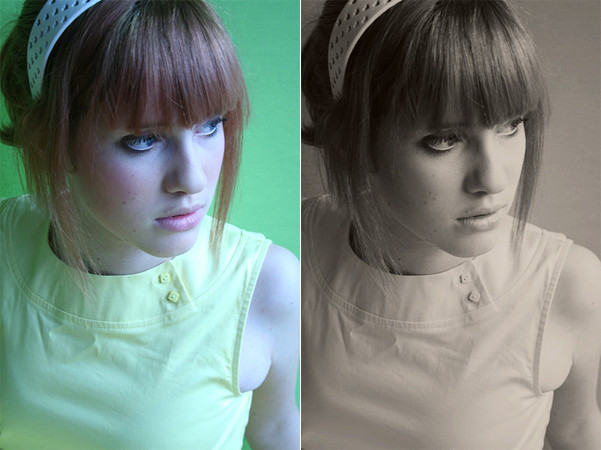
i will be using photoshop cs2 for this tutorial.1. duplicate your background layer, and go to image > adjustments > desaturate. set it to 38% opacity.
2. duplicate your background layer again and drag it to the top. set it to multiply at 25%.
3. now duplicate your background layer for the last time and drag it to the top. set it to soft light at 35%.
now merge the layers and you're done!
stock: *yellow-stock
Related content





Comments: 18


You're tuts are the best here on Deviantart
I've found them so useful!
Thankieees*-*

👍: 0 ⏩: 1

Hey, where'd you get this portrait?
It looks like the one I've seen in a magazine, and I'm curious
👍: 0 ⏩: 1

i got it from yellow-stock.
👍: 0 ⏩: 1

oops forgot to make a link haha:
~yellow-stock
👍: 0 ⏩: 1


when i got this computer i just messed around in photoshop a lot.
i credit sites like outspoken-kate.com and swimchick.net for giving me the idea for these tutorials, ahaha.
👍: 0 ⏩: 0