HOME | DD
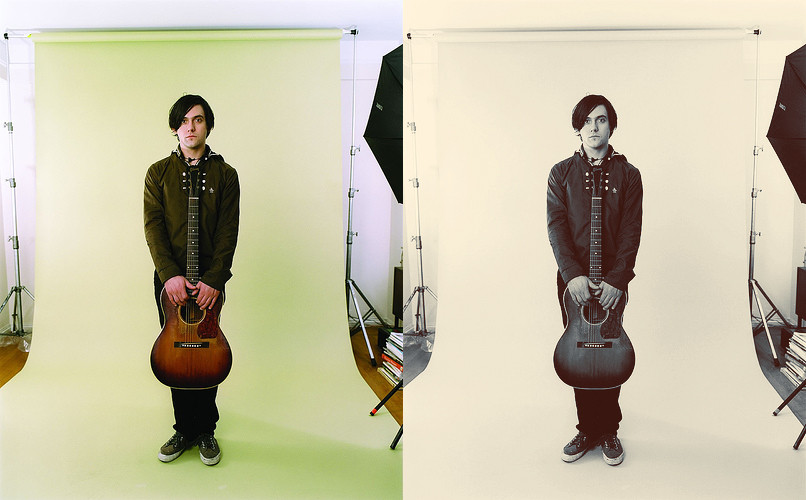
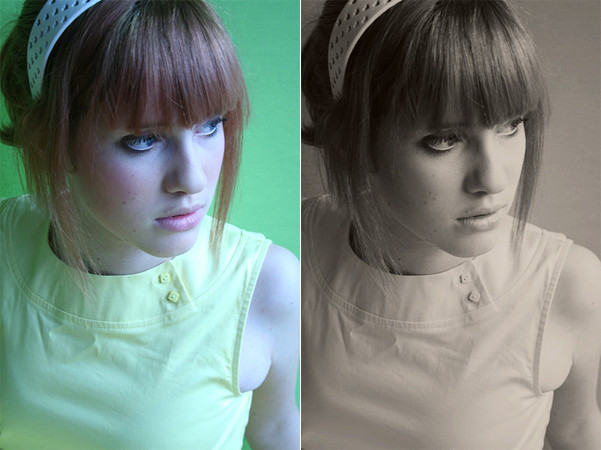
 rocketlaunch — tutorial: 'retro' blues

Published: 2008-06-14 15:02:29 +0000 UTC; Views: 8673; Favourites: 114; Downloads: 0
Redirect to original
Description
I will be using Photoshop CS2 for this tutorial.1. Go to layer > new fill layer > solid colour and type #9594A8 into the box. Click OK and set this layer to soft light at 45%.
2. Go to layer > new fill layer > solid colour again and type #1B1A2D into the box. Click OK and set this layer to lighten at 50%.
3. Go to layer > new adjustment layer > curves and click anywhere on the grid. Fill the following in.
To create a new point, just click on the grid again. To change the colour, just select it from the drop-down list.
RGB
Point 1: 29, 27
Point 2: 76, 63
Point 3: 155, 177
Point 4: 217, 229
Red
Point 1: 126, 134
Point 2: 226, 232
Green
Point 1: 28, 24
Point 2: 115, 114
Blue
Point 1: 17, 19
Point 2: 86, 88
Point 3: 240, 234
4. Go to layer > new adjustment layer > levels and fill this in:
Input: 8, 1.03, 248
Output: 0, 255
Now merge the layers and you're done!
Stock: *yellow-stock
Photo: [link]
Related content






Comments: 7

FOLLOW THESE STEPS 1.COVER YOUR MOUTH WITH YOUR HAND 2.WHISPER A WISH IN YOUR HAND 3.POST THIS ON 10 OTHER GAMES 4.LOOK AT YOUR HAND
👍: 0 ⏩: 0


nope, it's a stock image.
thank you!

👍: 0 ⏩: 1

oh
remind me of her
u're welcome

👍: 0 ⏩: 0


